Fotos bearbeiten: Die besten Bildbearbeitungs-Apps für Android & iOS
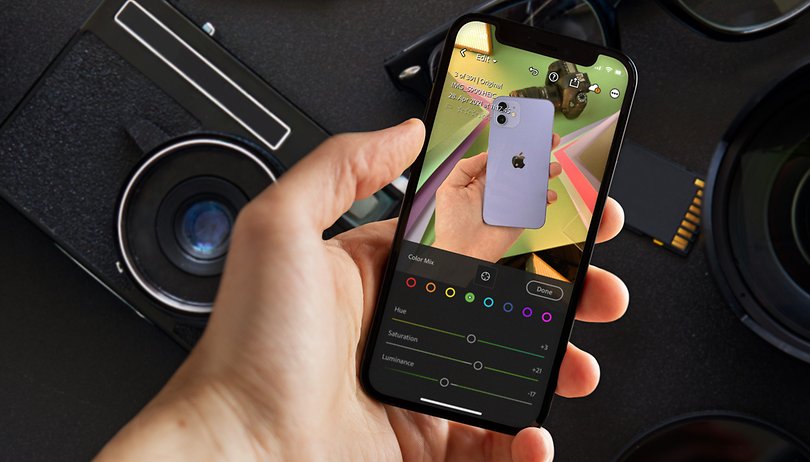

Von der digitalen Geschlechtsumwandlung bis hin zu Euren Lieblingsfotos animiert als Video: In den vergangenen Jahren haben Smartphone-Apps zur Bildbearbeitung einen gewaltigen Sprung nach vorne gemacht. Wir zeigen Euch die besten Apps zur Fotobearbeitung für Android und iOS. Neben den eingangs erwähnten Extrembeispielen findet Ihr hier auch „normalere“ Foto-Editoren, mit denen Ihr RAW-Bilder entwickelt, Kontrast und Helligkeit anpasst oder störende Objekte aus Fotos entfernt.
Sofern nicht explizit anders vermerkt, sind alle hier aufgeführten Apps kostenlos erhältlich und bieten ohne Zusatzkäufe einen echten Mehrwert. Etliche Anwendungen setzen dann auf kostenpflichtige Upgrades, die sich häufig hinter einem Abomodell verstecken. Die Kosten dafür liegen in der Regel zwischen einem und drei Euro pro Monat. Alle Bild-Beispiele, die Ihr in diesem Artikel seht, haben wir mit den kostenlosen Versionen erzeugt.
Eine Anmerkung noch: Wir haben die Apps zur Bildbearbeitung in der Android-Version getestet und die Screenshots stammen dementsprechend auch ausschließlich von Android-Smartphones. Fast alle Apps sind aber auch für iOS verfügbar, so dass wir die Links zu den Downloads entsprechend ergänzt haben.
Springt zum Abschnitt:
Allrounder:
Portrait und Retusche:
Künstlerische Effekte:
Collagen und FaceSwap:
Bilder animieren:
Allrounder: Die besten Apps für Fotobearbeitung
Den Anfang machen die Allrounder, die sich vor allem auf die „klassische“ Bildbearbeitung konzentrieren. Neben den üblichen Parametern wie Sättigung, Helligkeit & Co. bieten die Apps für iOS und Android in der Regel vielfältige Filter und Rahmen.
Adobe Photoshop Lightroom: gut – und besser für Adobe-Kunden
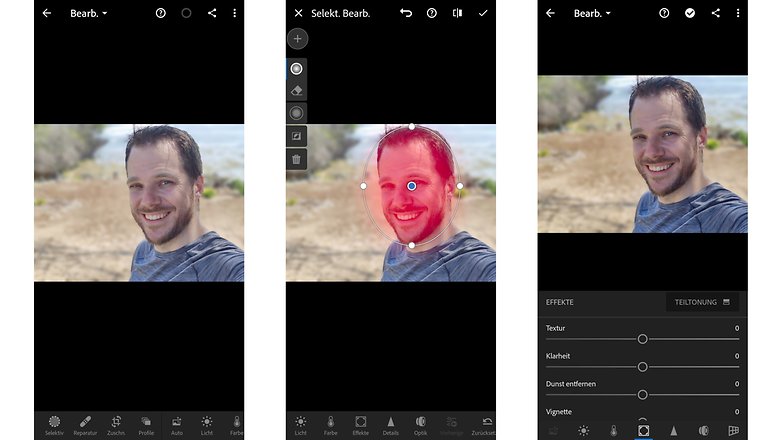
Vom Funktionsumfang her ist die Mobil-App dem großen Lightroom sehr ähnlich. Entsprechend schnell finden sich Adobe-Nutzer hier auch zurecht. Es gibt extrem viele Features zum Bearbeiten der Fotos, die meisten stehen davon auch in der kostenlosen Version zur Verfügung. Wer allerdings Effekte auf begrenzte Bildbereiche anwenden, RAW-Fotos importieren oder den Retusche-Stempel nutzen möchte, braucht mindestens ein Creative-Cloud-Foto-Abo (ab 11,89 Euro pro Monat).
Beachtet vor dem Download: In den letzten Tagen (April 2021) haben sich einige schlechte Rezensionen (Android) gehäuft, weil es zum Problem mit dem Import von Bildern kommt und Presets nicht mehr auffindbar sind. Hoffentlich nur ein Bug, der mit einem der nächsten Updates behoben werden kann. Schreibt uns gerne in die Comments, solltet Ihr ebenfalls diese Probleme feststellen.
- Adobe Photoshop Lightroom für Android bei Google Play herunterladen
- Adobe Photoshop Lightroom für iOS im Apple App Store herunterladen
Snapseed: chaotisch-kostenloser Tausendsassa
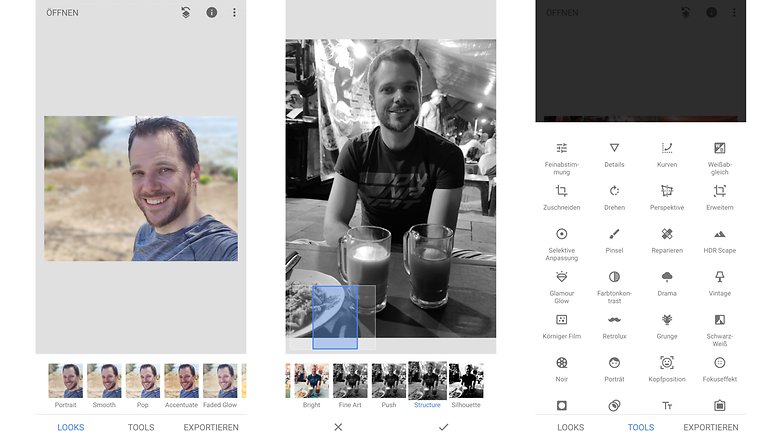
Snapseed von Google ist ein guter Tipp für alle, die eine kostenlose App für die Bildbearbeitung suchen. Neben wirklich zahlreichen Fotofiltern gibt es hier auch Tools zum Anpassen von Portrait-Features wie Kopfposition, Pupillengröße et cetera. Positiv ist hier auch, dass sich alle Filter in Sachen Intensität anpassen lassen.
Zumindest anfangs wirkt der Foto-Editor mit dem wenig sortierten Menü und den zahlreichen Funktionen etwas unübersichtlich. Nachdem die App komplett kostenfrei ist, sehen wir aber gerne darüber hinweg. Anspruchsvolle Nutzer freuen sich über RAW-Support.
- Snapseed für Android bei Google Play herunterladen
- Snapseed für iOS im Apple App Store herunterladen
Adobe Photoshop Express: kostenloser Lightroom-Bruder
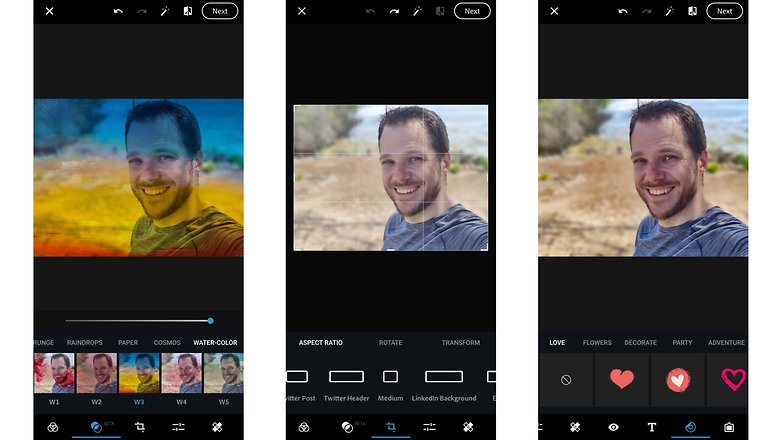
Ja, schon wieder Adobe und Photoshop: Photoshop Express ist vielfältiger als Lightroom, was die Effekte angeht – es gibt hier unzählige Filter und Bild-Overlays, die sich oft in ihrer Intensität an das jeweilige Motiv anpassen lassen. Eine Beschränkung auf bestimmte Bildbereiche ist bei den Effekten jedoch nicht möglich.
Photoshop Express unterstützt schließlich noch zahlreiche Rahmen und bringt etliche Text-Werkzeuge mit. Wie Snapseed ist auch RAW-Support an Bord. Eine Besonderheit ist noch, dass sich die Bilder in unzähligen verschiedenen Formaten exportieren lassen, etwa als LinkedIn-Profilbild. Und: Die App ist komplett kostenlos. Yay!
- Adobe Photoshop Express für Android bei Google Play herunterladen
- Adobe Photoshop Express für iOS im Apple App Store herunterladen
VSCO: Bildbearbeitung mit Foto-Community
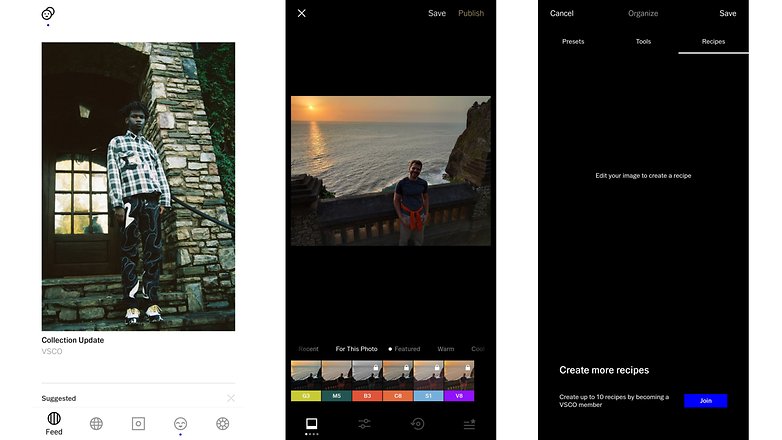
Die App mit dem wenig griffigen Akronym darf problemlos in einem Atemzug mit den bisherigen Apps genannt werden. Es gibt zahlreiche Filter und Effekte. Eine Besonderheit ist hier, dass sich diese in „Rezepten“ kombinieren und abspeichern lassen – wenn auch nur in der Pro-Version, die mit 5,49 Euro pro Monat beziehungsweise 21,99 Euro pro Jahr kein billiges Vergnügen ist.
Eine weitere Besonderheit bei VSCO ist die angeschlossene Community, in der fleißig Bilder geteilt werden. Die Qualität der hier verbreiteten Aufnahmen ist wirklich eindrucksvoll und einen Blick wert.
Foto Editor: Die Enzyklopädie der Foto-Filter
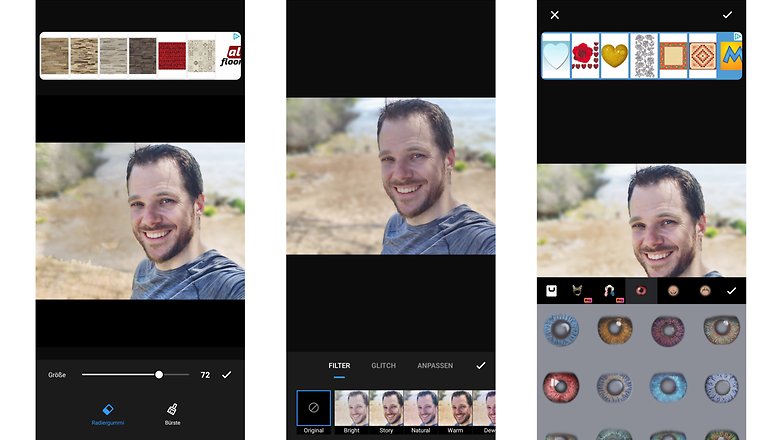
Das hier ist genau die richtige App für die Filter-Junkies unter Euch: Foto Editor bringt wirklich unglaublich viele Filter mit – und noch viel mehr, wenn man das recht kostspielige Abo abschließt. Der Macher verlangt hier entweder 3,29 Euro pro Monat oder 16,99 Euro im Jahr. Erwähnenswert ist noch die Möglichkeit, Fotocollagen aus mehreren Bildern zu erstellen.
- Foto Editor für Android bei Google Play herunterladen
- Foto Editor für iOS im Apple App Store herunterladen
Portrait / Retusche
In diesem Bereich liegt der Fokus ganz auf (Selbst-)Portraits. Die hier aufgelisteten Anwendungen bieten allesamt Möglichkeiten um Hautunreinheiten und dergleichen aus Bildern zu entfernen. Die Effekte reichen von dezent (etwas glattere Haut) bis extrem (digitale Geschlechtsumwandlung) – lasst Euch überraschen.
Adobe Photoshop Fix: Bildbearbeitung mit Fokus auf Portraits
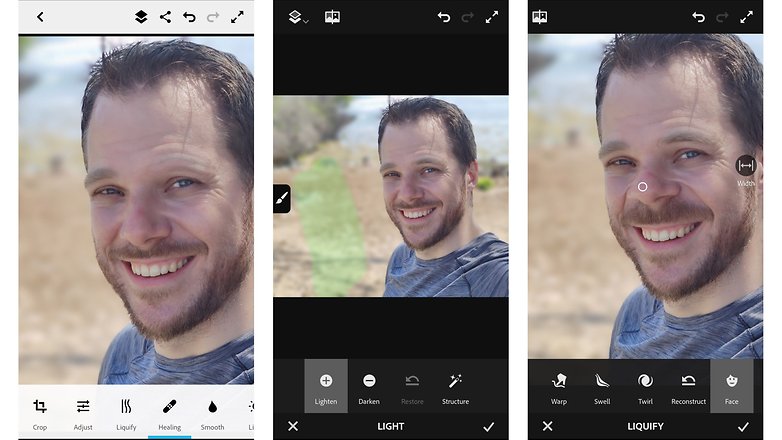
Ja, noch eine App von Adobe. Photoshop Fix bietet vielfältige Möglichkeiten, um Portraits zu bearbeiten. Das beginnt beim Ausbessern von punktuellen Hautunreinheiten und dem Weichzeichnen ganzer Hautpartien bis hin zum Verändern der Gesichtsform. Außerdem gibt es Filter zum Verbessern von Details/der Struktur. Sehr schön auch: Die meisten Effekte lassen sich mit einem konfigurierbaren Pinsel auf einzelne Bildbereiche anwenden. Darüber hinaus ist die App komplett kostenlos.
- Adobe Photoshop Fix für Android bei Google Play herunterladen
- Adobe Photoshop Fix für iOS im Apple App Store herunterladen
Facetune2: Mehr geht nicht bei Portraits
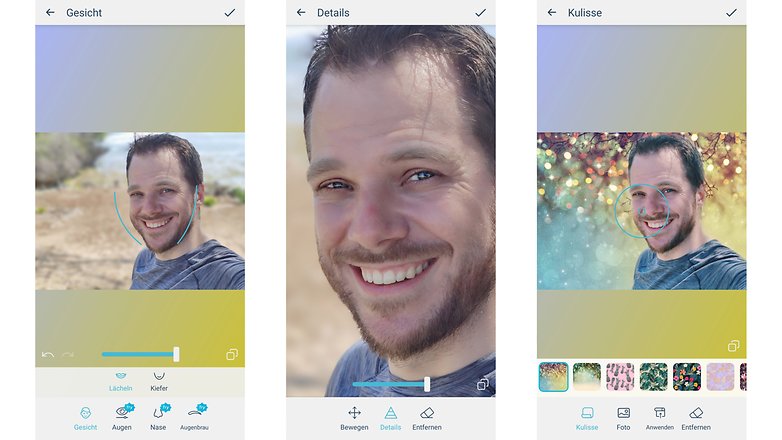
Facetune2 ist die wohl leistungsstärkste App, die mir im Bereich Portrait-Retusche über den Weg gelaufen ist. Bereits die kostenlose Version gefällt mit einem wirklich guten Funktionsumfang und erlaubt etwa das Aufhellen der Zähne, Glätten von Hautunreinheiten oder Auftragen von Makeup. Wer das recht teure Abomodell (3,49 Euro pro Monat, 20,88 Euro pro Jahr) abschließt, kann aber beispielsweise auch den Himmel austauschen oder die Kulisse komplett verändern.
- Facetune2 für Android bei Google Play herunterladen
- Facetune2 für iOS im Apple App Store herunterladen
FaceApp: von Bart bis Geschlechtsumwandlung ist alles dabei
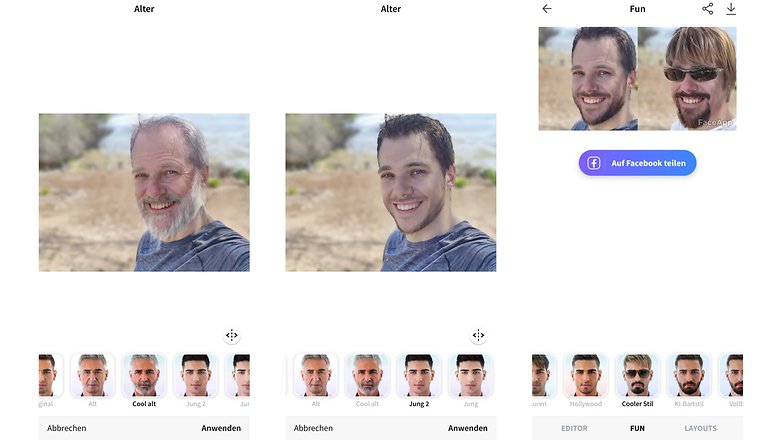
Für Spaßeffekte rund um Portraits ist diese App wohl ungeschlagen. In der kostenlosen Version könnt Ihr Euch alt und jung machen, und auf eine kleine Auswahl von Bärten, Frisuren und Effekten zugreifen. Wer das Abomodell abschließt, kann sich mit einer breiten Auswahl von Bärten, Frisuren und Accessoires schmücken oder sogar sein Geschlecht verändern. Leider ist das Abomodell mit 3,99 Euro pro Monat und 20,04 Euro pro Jahr relativ teuer.
TouchRetouch: Weg damit!
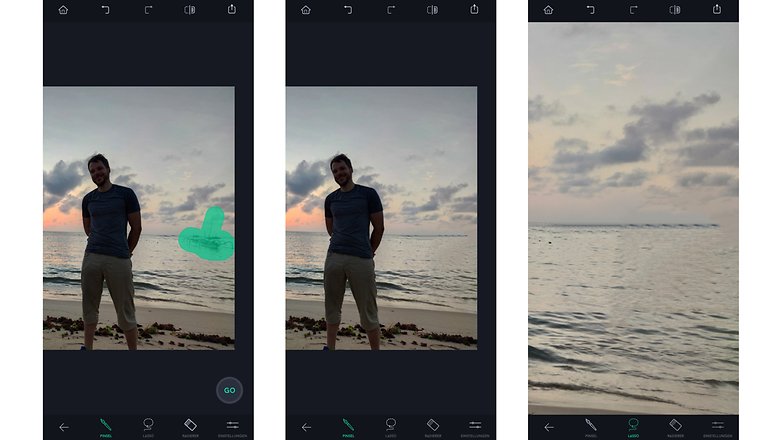
Wie der Name schon sagt, konzentriert sich TouchRetouch vollständig auf das Entfernen von Gegenständen aus dem Bild. Das funktioniert deutlich besser als etwa bei dem etwas enttäuschenden Adobe Photoshop Fix. Das Niveau vom Content-Aware-Fill-Tool aus dem ausgewachsenen Desktop-Photoshop erreicht TouchRetouch aber immer noch nicht. Wer regelmäßig störende Stromleitungen oder Verkehrsschilder aus seinen Fotos retuschieren möchte, erhält hier für eine Einmalzahlung von fairen 2,29 Euro ein gutes Werkzeug. Eine kostenlose Version gibt es nicht.
- TouchRetouch für Android bei Google Play herunterladen
- TouchRetouch für iOS im Apple App Store herunterladen
Künstlerische Effekte
Ein Fotofilter mit etwas Hollywood-Teal-Orange oder Grusel-Grün reicht Euch nicht aus? Die folgenden Apps verwandeln Eure Aufnahmen in Kunstwerke, vom Impressionismus bis hin zum Anime-Stil.
Prisma: der Urvater der Kunst-Filter
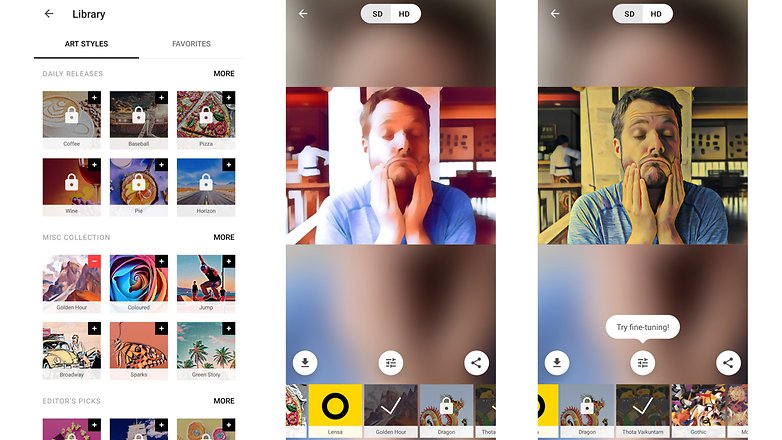
Prisma hat 2016 mit seinen effektvollen Filtern für Erstaunen gesorgt. Damals war es schier unglaublich, wie sich Fotos per Fingertipp in Gemälde verwandeln ließen. Die kostenlose Version bietet viele Filter, die sich auch getrennt auf Vorder- und Hintergrund anwenden lassen und einen Community-Anschluss. Sehr lästig ist die Werbung, zudem werden die Nutzer in eine 3-Tage-Testphase für die Pro-Version gedrückt, die sich nach Ablauf in ein Jahresabo umwandelt (15,99 Euro, Monatsabo 1,69 Euro).
Varnist: Prisma, nur weniger nervig
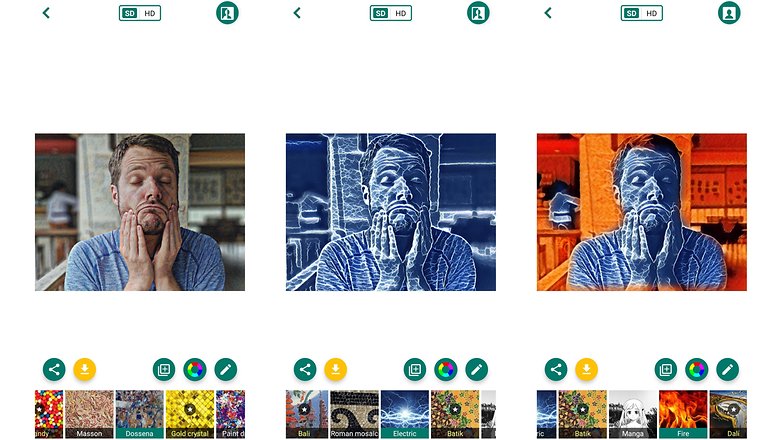
Varnist ist von Aufbau und Funktionsumfang her Prisma sehr ähnlich: Auch hier gibt es unzählige kostenlose Filter und die Möglichkeit, diese getrennt auf Vorder- und Hintergrund anzuwenden. Varnist hat zwar ebenfalls ein Abomodell (0,99 Euro pro Monat, 9,99 Euro pro Jahr), preist dieses jedoch nicht so aggressiv an und nervt auch sonst nicht so viel mit Werbung. Wenn Ihr eine App mit Kunst-Filtern sucht, solltet Ihr zuerst diese hier ausprobieren.
Instasquare Foto Editor: einzigartige Effekte, aber nervig
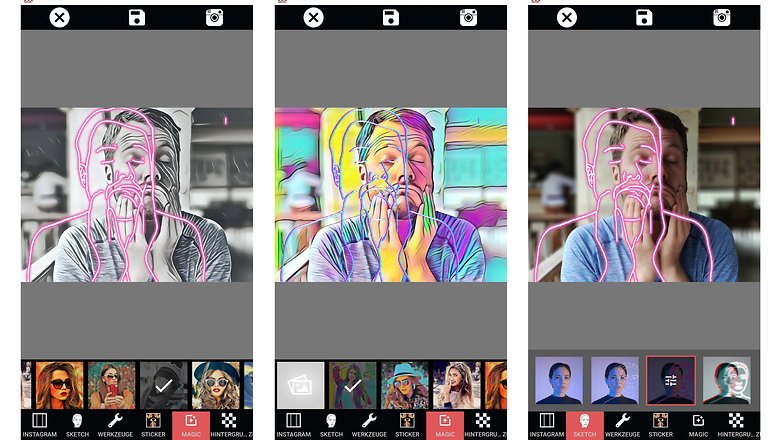
Instasquare sticht besonders durch seine Photosketch-Effekte hervor. Dabei wird das Motiv – typischerweise eine Person – in seine Umrisse verwandelt und als leuchtender Rahmen über das Foto gelegt. Dazu gibt es zahlreiche Kunst-Filter wie bei Prisma und Varnist. So toll die Effekte sind, so lästig ist die Werbung. Egal, was man in der App machen möchte: Man muss zuerst einen Werbeclip ansehen. Die Ergebnisse sind das Warten jedoch wert. Eine werbefreie Bezahlversion gibt es derzeit nicht.
Photo Lab: Kompletter Look aus der Community
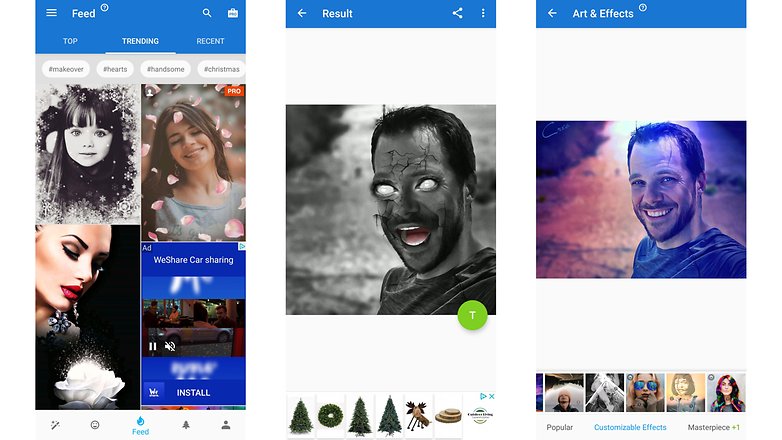
Die Idee von Photo Lab besteht darin, dass Ihr Eure Fotos mit einem einzelnen Fingertipp in ein fertiges Kunstwerk verwandeln könnt. Die dafür verwendeten Fotoeffekte sind teilweise User-generated, und entsprechend variiert die Qualität stark. Im Feed finden sich aber auch viele wirklich toll gemachte und teilweise animierte Effekte. Leider ist die App durch die viele Werbung fast unbrauchbar. Immerhin: Durch eine Einmalzahlung von fairen 3,29 Euro lässt sich die Werbung entfernen.
- Photo Lab für Android bei Google Play herunterladen
- Photo Lab für iOS im Apple App Store herunterladen
Bilder animieren
Motionleap (vorher Pixaloop): Animation von Himmel bis Hölle
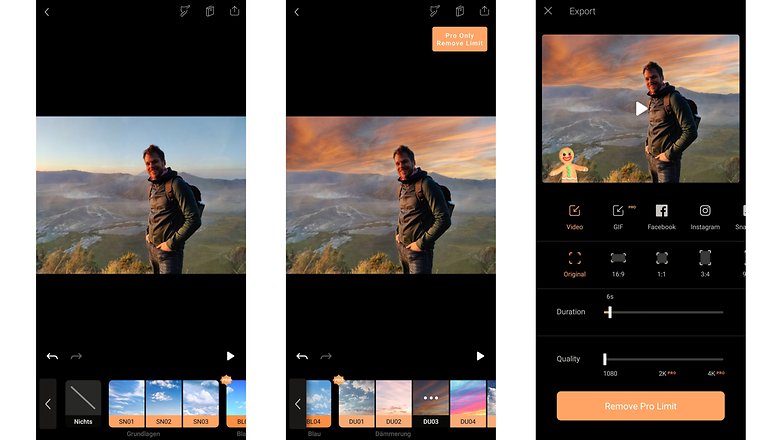
Pixaloop, mittlerweile umbenannt in Motionleap, war die erste App dieser Art, die ich ausprobiert habe – uns sie ist nach wie vor mein Favorit. Selbst in der kostenlosen Version gibt es zahlreiche Filter, die den Fotos einen animierten Himmel verpassen, Schneefall oder Regen hinzufügen und sogar die Kameraperspektive animieren. Zudem ist die App wirklich einfach zu bedienen und verzichtet auf nervige Werbung. Leider fehlt der kostenlosen Version der GIF-Export – wer mit den MP4-Videoclips nichts anfangen kann, braucht hier also eine Extra-App oder muss eben upgraden (4,20 Euro pro Monat, 21,00 Euro pro Jahr).
- Motionleap für Android bei Google Play herunterladen
- Motionleap für iOS im Apple App Store herunterladen
PixaMotion: animiert Deine Fotos
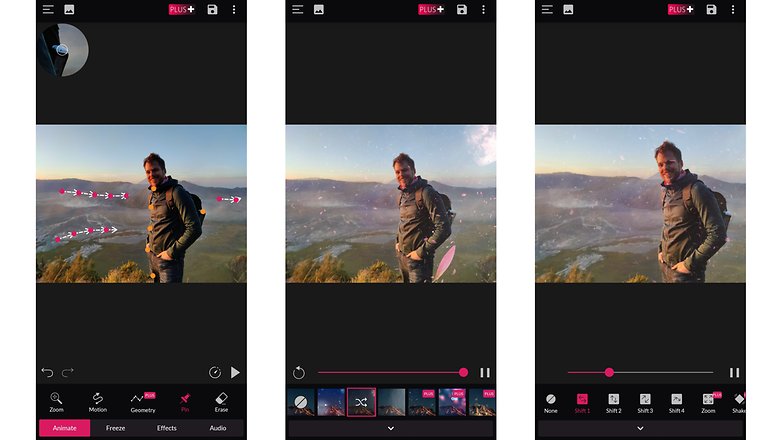
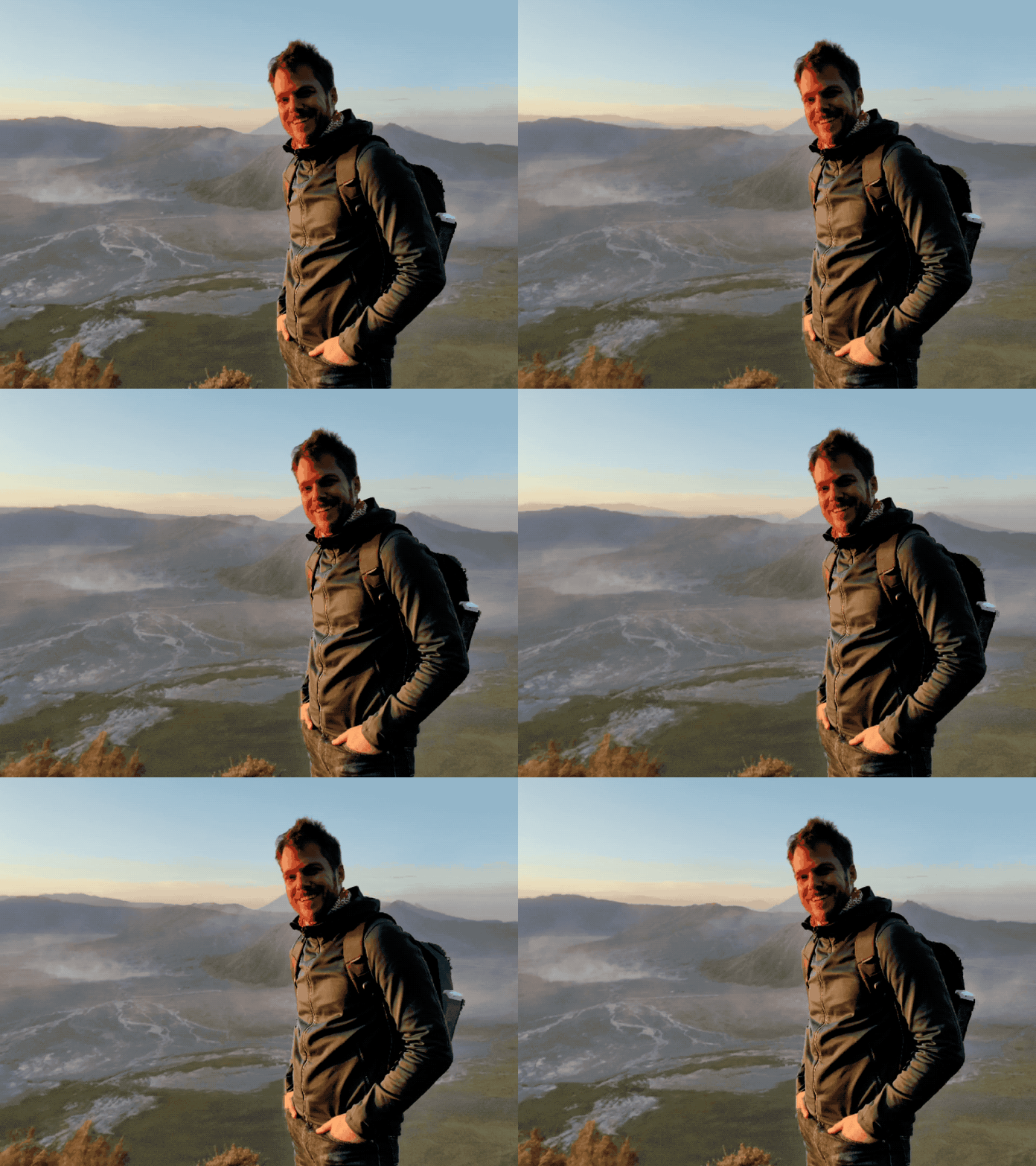
Während Pixaloop sehr viel kann und ganz viele animierte Dinge in Eure Bilder einfügt, fokussiert sich PixaMotion eher auf das Animieren vorhandener Bildelemente – und das kann die App richtig gut. Die Bedienung ist wirklich gut gemacht. Eine einmalige Zahlung von 4,19 Euro entfernt die Werbung und gewährt vollen Zugriff auf die diversen Regen-, Schnee- und Funkenflug-Overlays. Außerdem bietet die Pro-Version mehr Möglichkeiten beim Export der Animationen (Auflösung, Länge und so weiter).
- PixaMotion für Android bei Google Play herunterladen
- PixaMotion für iOS im Apple App Store herunterladen
Vimage: viel Potenzial
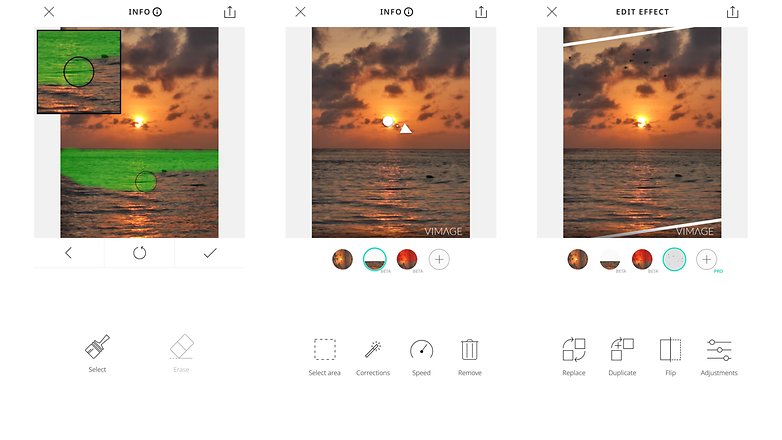
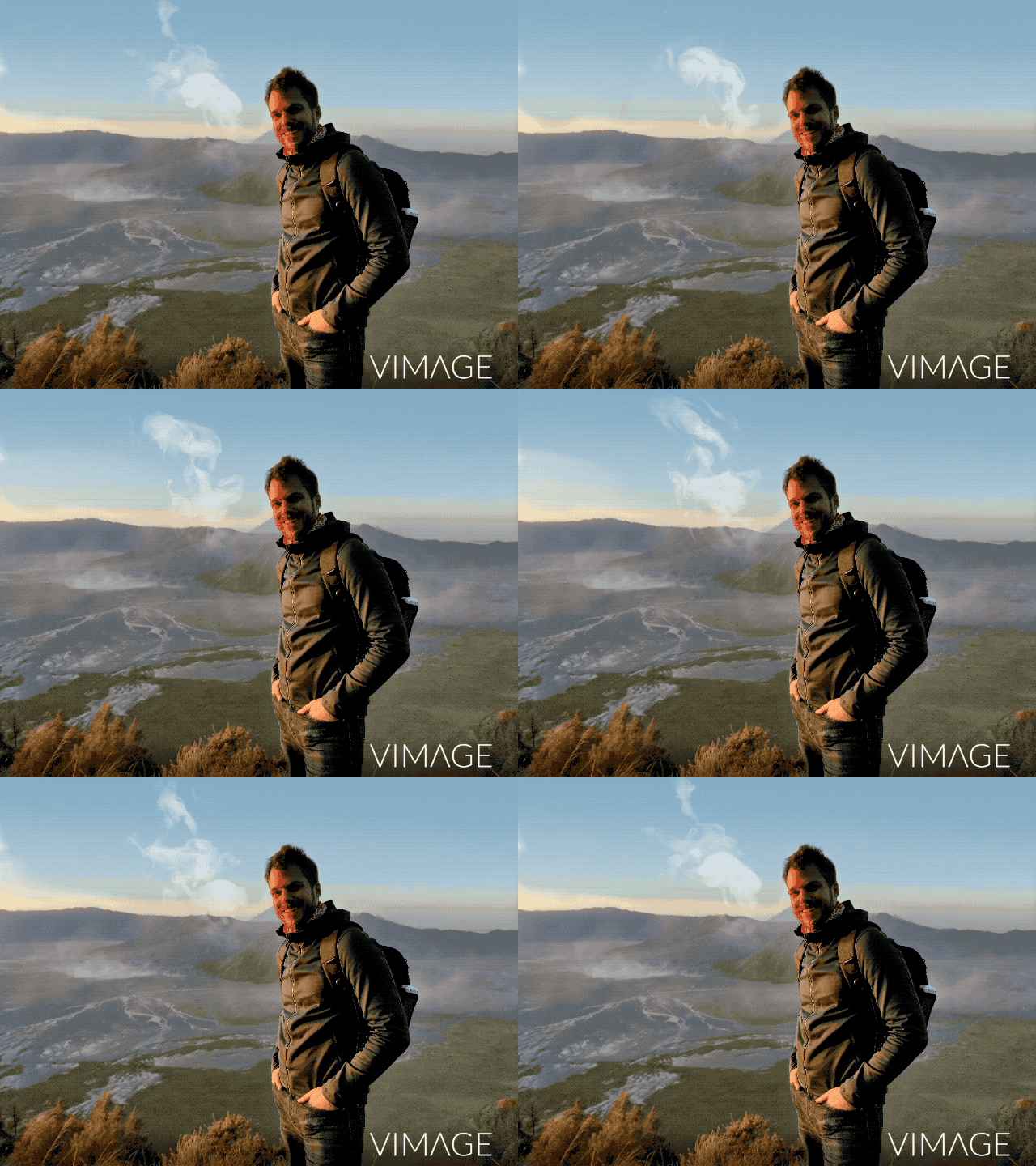
Vimage siedelt sich vom Funktionsumfang her zwischen Pixamotion und Pixaloop an. Die App-Schmiede versucht, dem Funktionsumfang mit verschiedenen Ebenen Herr zu werden. Allerdings macht das Bedienkonzept die App eher komplizierter als einfacher. Die anfänglichen Probleme mit Bugs hat man aber augenscheinlich ausräumen können, Vimage kassiert längst reihenweise richtig gute Bewertungen.
Wer die nervige Werbung loswerden wird, bekommt drei Optionen: Entweder zahlt Ihr monatlich 4,99 Euro, zahlt jährlich (1,67 Euro/Monat) – oder Ihr haut einmalig 49,99 Euro raus und zahlt ab da dann nie wieder für die Nutzung. Die Pro-Version entfernt Werbung und Wasserzeichen und schaltet zudem weitere Funktionen und unbegrenzte Layer frei.
Collagen und FaceSwap
Cupace: Dein Kopf auf Supermans Körper
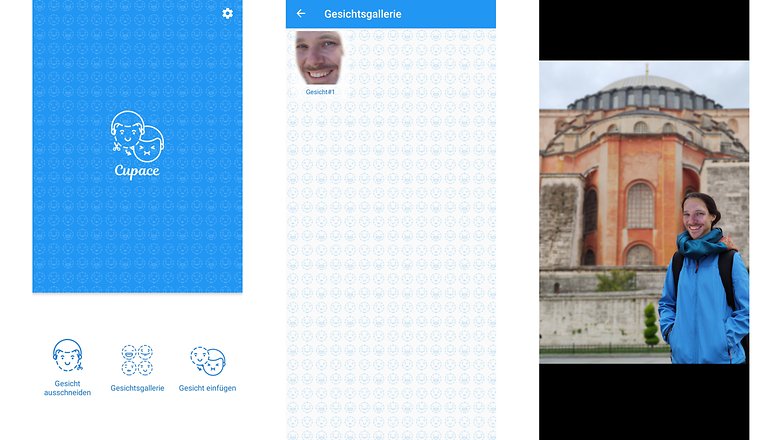
Ihr wollt Eure Freunde als Superhelden darstellen? Mit Cupace sind solche Tricks kein Problem. Zuerst schneidet Ihr die Gesichter Eurer Freunde aus bestehenden Fotos aus und legt Euch eine Gesichter-Sammlung an. Anschließend könnt Ihr aus dieser Sammlung die Gesichter in andere Bilder einfügen. Es gibt ein paar rudimentäre Möglichkeiten zum Anpassen von Helligkeit, Sättigung und Kontrast. Sind die Hauttöne zu unterschiedlich, lassen sie sich aber nicht anpassen. Lediglich die penetrante Werbung nervt.
Adobe Photoshop Mix: Klone Dich jetzt!
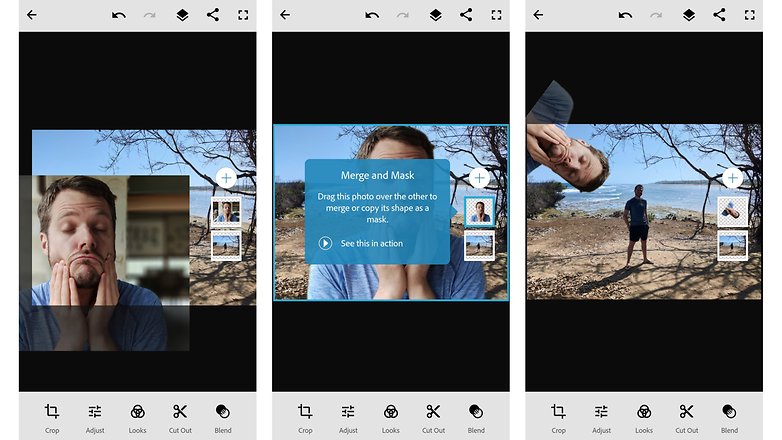
Und noch einmal Adobe: Mit Photoshop Mix könnt Ihr aus einzelnen Fotos ein Bild zusammenbauen. Wenn Ihr beispielsweise mehrere Fotos vom Stativ geschossen habt und Euch bei jedem Bild an einer anderen Stelle im Frame positioniert, könnt Ihr Euch mit Photoshop Mix klonen. Dank der unterstützten Bildbereiche-Auswahl klappt das meistens auch wirklich gut. Die App ist komplett kostenlos.
- Adobe Photoshop Mix für Android bei Google Play herunterladen
- Adobe Photoshop Mix für iOS im Apple App Store herunterladen
Pixlr: Die #1 für Foto-Collagen
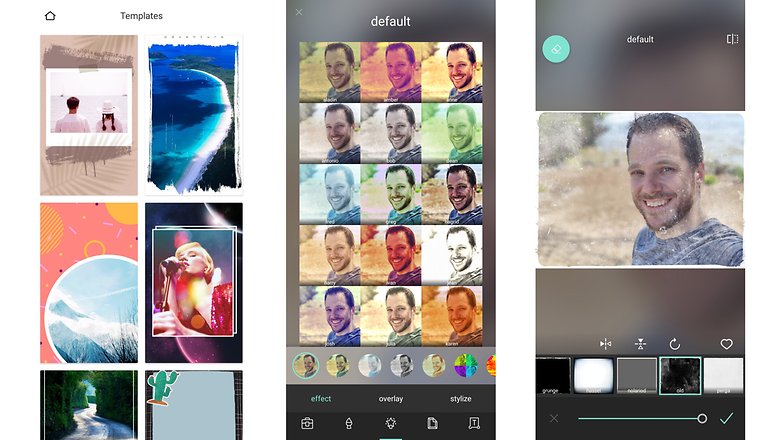
Doppelbelichtungen und zahlreiche Bildeffekte wie Aufhellen, Abdunkeln und Schärfe, die sich auf einzelne Bildbereiche begrenzen lassen: Pixlr ist sehr vielfältig. Besonders sticht die App durch die einfache Möglichkeit hervor, Collagen aus mehreren Fotos anzulegen. Dazu gibt es noch viele Filter, Rahmen und Überlagerungen.
Habt Ihr noch Tipps für uns?
Einen Hinweis noch zum Ende: Einige der hier betrachteten Apps stehen oder standen in der Kritik wegen des Datenschutzes. Aus zeitlichen Gründen ist es uns leider nicht möglich, alle Datenschutzbedingungen und allgemeinen Geschäftsbedingungen der Anwendungen durchzuarbeiten. Falls dies für Euch ein sensibles Thema darstellt, empfehle ich Euch zumindest eine kurze Recherche zur jeweiligen App, bevor Ihr sie installiert.
Welche App ist Euer Favorit? Und haben wir eine ganz besonders tolle Anwendung vergessen? Wir freuen uns auf Eure Kommentare!
Der Artikel wurde umfangreich überarbeitet (letztes Update, April 2021). Alte Kommentare passen daher womöglich nicht mehr zu der aktuellen App-Auswahl.




Ich finde die Originale Samsung Bildbearbeitung hat sich extremst verbessert und lässt bei mir keine Wünsche offen, was früher qualitativ Minderwertige Spielerreien waren ist mittlerweile auf einem richtig hohem Niveau.
Ich staunte nicht schlecht als ich eine Skyline mit Wolkenkratzern fotografiert habe, einen Wolkenkratzer verschwinden ließ und die Ki einen künstlichen Horizont erschuf und sogar künstlich kleinere Gebäudedächer dort ein setzte. #wow
Im ganzen wurde die Fotoverwaltung, Bearbeitung, einfügen von Texten und und und sowas von einfach, effizient und schnell, da muss sich mein Windows Surface echt vor verstecken.
-
Admin
-
Staff
06.05.2021 Link zum KommentarUiuh, da werd ich mir nächste Woche mal ein Samsung-Smartphone in der Redaktion schnappen müssen, danke für den Tipp. Ansonsten find ich ja Photoshop Camera auch sehr spannend, die ja irgendwie zwischen Kamera-App und App zur Bildbearbeitung rangiert :)
Ok, für die eine oder andere Aufbesserung von Schnappschüssen und für einige Effekte ist die eine oder andere App ganz brauchbar. Aber vor allem ist auf so einem Smartphonedisplay wirkliche Bildbearbeitung eher ein Krampf. Selbst mit guter Software. Mindestens sollte man ein Tablet dafür benutzen, möglichst am Tisch sitzen und eine Maus anschließen. Dafür würde ich dann 'The Gimp' empfehlen.
Was das Wegzaubern von störenden Objekten, bzw. Subjekten, wie im obigen Bsp. angeht: Ich kann die Silhouette des Mannes noch allzu deutlich sehen.
Wenn man was einkopiert, sollte es passen oder vorher passend gemacht werden. Die Ränder unsichtbar zu machen, ist zeitaufwendige Arbeit auf Pixelebene. Ansonsten wird man die Ränder immer sehen.
Ein richtiger Fotograf wartet bis die Leute weg sind (oder er schwarz wird😉).
Sehe ich anders, ich empfinde im vergleich zur Bildverarbeitung meines Windows Pc's die Bearbeitungssoftware von Samsung um welten besser. Ich brauche da kein größeres Display, das geht alles Punkt genau, qualitativ gut und der Umfang lässt keine Wünsche offen.
Besonder die Optionen von Portrait fotos sind schon unglaublich gut geworden und das auch wirklich qualitativ hochwertig, hat mit Spielerei nicht mehr viel zu tun.
Ich nutzte früher auch viele verschiedene Softwares, brauche ich alles nicht mehr.
Wird alles ab Werk abgedeckt.
Photoshop Express ist mein Favorit, wobei ich kaum Bildbearbeitung weder auf dem Smartphone noch auf dem Chromebook mache
Moin, da ist mir zuviel Adobe im Artikel. Dafür fehlt mindestens eine App, die von Benutzern immer wieder empfohlen wird:
Photo Editor (macgyver): https://play.google.com/store/apps/details?id=com.iudesk.android.photo.editor
Sehr vielseitig, vernünftiger Einmalkauf, datenschutztechnisch erträglich.
Adobe Photoshop find ich von allen praktisch.
Ich suche eine app mit der ich echte Doppelbelichtung machen kann.
Dazu wünsche ich mir, dass ich das "Original" schon angezeigt bekomme, sodass ich, sozusagen, live in das vorhandene Bild belichten kann.
Kennt jemand eine solche app? Lasst es mich wissen
Super Artikel! :)
Es gibt viele gute Apps aber ich mag Snapseed, fixthephoto.com/, VSCO und Pixlr am meistens
Hat sich beim Pixlr was geändert ? Früher gab es nur zwei Berechtigungen. Kamera und Speicher, ohne Werbung. Frei von unangenehmen Dingen.
ich empfehle SKETCH von sony. ich brauch keine app mit 2trillionarden Filtern, sondern eine App in die ich ein Bild laden kann und wie in Paint herumschmieren. :>
Ich kann außerdem Deep Art Effects empfehlen. Die App erstellt Fotos im Stil von bekannten Künstlern wie Picasso, Chagall, Monet,... In der Pro Version kriegt man die Fotos dann in Druckqualität. Datenschutz ist im Vergleich zu ähnlichen Apps wie Prisma etc. auch gegeben.
habt ihr PicsArt bewusst vergessen ?
Stimmt Pics art fand ich immer sehr gut, mittlerweile übertrift die Samsung Stock bearbeitungssoftware Picsart aber ganz dicke vorallem qualitativ.
Ich nutze und bin sehr zufrieden mit cyberlink photodirector
ich finde fazit am besten
Hier noch zwei Tipps abseits der schon 100 mal immer wieder vorgestellten Apps
ToolWiz Photo Pro Editor
https://play.google.com/store/apps/details?id=com.btows.photo
Collage Maker Pic Grid
https://play.google.com/store/apps/details?id=com.lyrebirdstudio.collage
Anschauen und ausprobieren lohnt sich auf jeden Fall!
"Prisma ist der neue Hit"
Gut möglich dass die Massen mal wieder nicht mitbekommen was die AGB hergibt.
Pixlr und alles ist sauber. Keine Add's und Regelungen der Rechte über Bilder. Auch die Berechtigungen in Android OS sind komplett sauber.
Warum sind nicht alle Apps so? Ich würde schon gelegentlich mal neue Apps wieder mal testen. Aber es scheitert sogut wie immer an den Berechtigungen oder Werbung und sonstigen trash was die moderne IT zu bieten hat. Dazu die unglaubliche Menge an Apps im Store.
Und solange die Masse es duldet läuft das weiter so.
-
Admin
29.07.2016 Link zum KommentarTja, Snapseed vermisse ich hier im Artikel auch...