So personalisiert Ihr Euer Android-Smartphone
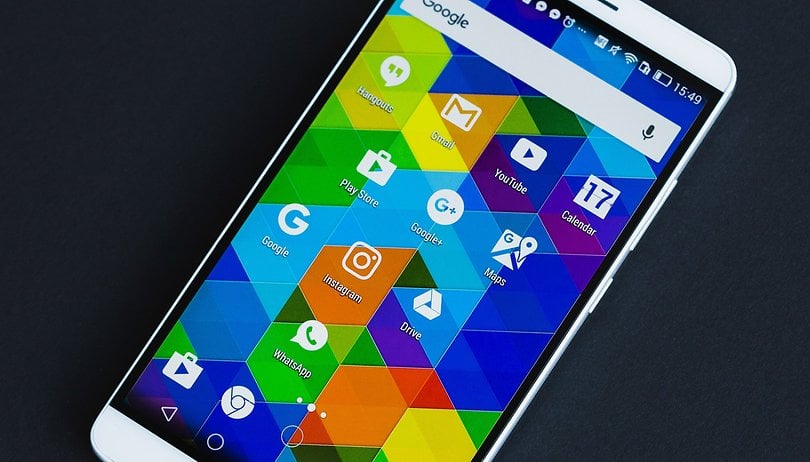

Gefällt Euch das auf Eurem Smartphone voreingestellte Hintergrundbild nicht? Wollt Ihr andere App-Icons oder eine andere Benutzeroberfläche? All das ist mit Android-Smartphones problemlos machbar. Bis auf wenige Details lässt sich Euer Smartphone nämlich komplett personalisieren.
Direkt zum Abschnitt
- Hintergrundbilder
- Launcher
- Icon Packs
- Klingeltöne
- Notification-Handling verbessern
- Mit oder ohne Root
Hintergrundbilder für Android mit und ohne Animation
Der erste und augenfälligste Änderungsansatz ist das Hintergrundbild. Entweder Ihr schießt ein schönes Foto und wählt das in der Galerie als Hintergrund aus oder Ihr ladet Euch einen der vielen im Netz zu findenden Hintergründe herunter. Alternativ gibt es auch animierte Live-Hintergründe. Die kosten Euch ein paar Minuten Akkulaufzeit, schenken Euch aber lebhafte Bilder auf dem Startbildschirm.
Ein komplett neues Aussehen mit einem alternativen Launcher
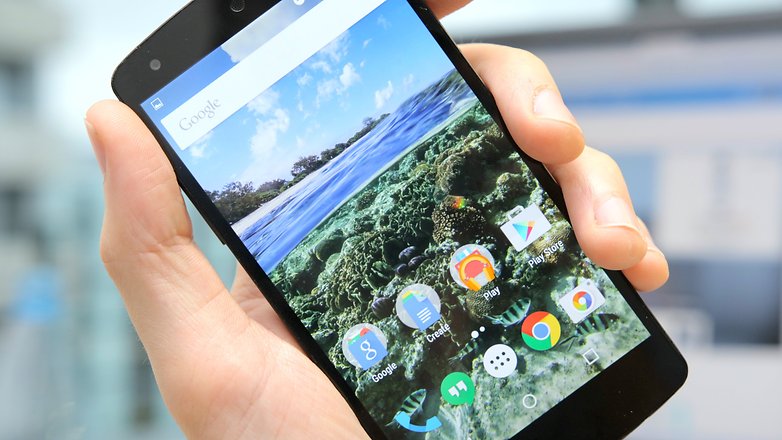
Der nächste große Hit in Sachen Smartphone-Personalisierung ist das Austauschen des Launchers. Der Launcher ist der Bereich, den Ihr nach dem Einschalten des Geräts oder nach dem Drücken des Home-Buttons seht. Er verwaltet Eure App-Auswahl und gilt als logistisches Zentrum für all Eure App-Aktivitäten.
Hier stehen mittlerweile unzählige verschiedene Varianten zur Auswahl. Von komplexen Launchern mit zahllosen Anpassungsmöglichkeiten bis hin zu minimalistischen Varianten mit besonderen Bedienelementen und Gesten. Probiert auf jeden Fall verschiedene Launcher aus, denn sie können Euch die Bedienung erleichtern. Manche Smartphones werden mit Alternativen Launchern sogar ein wenig schneller.
Neue Icon-Packs
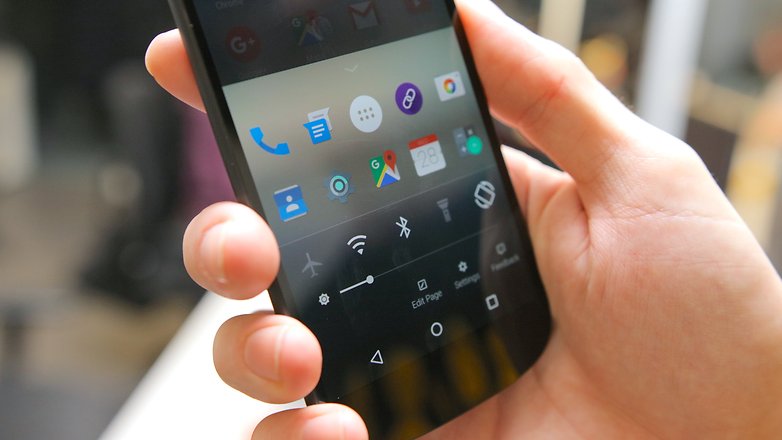
Einige alternative Launcher erlauben es Euch, Icon-Packs einzurichten und zu nutzen. Damit hat das lästige Problem ein Ende, dass die verschiedenen Icons auf dem Homescreen und im App-Drawer keine einheitliche Optik haben. Icon-Packs sind daher für eine ambitionierte Veränderung der Oberfläche enorm wichtig. Im Play Store gibt es kostenlose und kostenpflichtige. Hier findet Ihr einige Inspirationen:
Einige Hersteller wie Huawei, Honor oder OnePlus haben bereits in ihr eigenes Betriebssystem die Möglichkeit integriert, andere Icons für den Startbildschirm auszuwählen. Hier gibt es sogar die Option mit sogenannten Themes die komplette Oberfläche anders aussehen zu lassen.
Neue Töne für Android
Natürlich darf auch der eigene Klingelton nicht fehlen. Bei Android ist der Wechsel auf Eure Lieblingslied oder einen heruntergeladenen Ton relativ einfach erledigt:
- Kopiert eine Audio-Datei (Liste kompatibler Formate) vom PC in Ringtones, Notifications oder Alarms.
- Geht dann in Einstellungen > Töne (alternativ: Ton und Benachrichtigungen) > Erweitert und wählt die heruntergeladene Datei als Klingelton oder Standard-Benachrichtigungston aus.
Fertig ist Euer persönlicher Klingelton. Eine ausführlichere Anleitung findet Ihr hier:
Zwei der bekanntesten Apps und gute Quellen für kostenlose Klingeltöne für Euer Android-Smartphone sind:
Zedge ist auch als App erhältlich und finanziert sich über Vollbild-Werbevideos. Öffnet die App also vorzugsweise im WLAN. In Zedge bekommt Ihr auch Hintergrundbilder und Icons.
${app-net.zedge.android}Handling verbessern: Notifications und Lockscreen optimieren
Erhaltet Ihr viele E-Mails, Push-Nachrichten und andere Notifications? Wollt Ihr das Smartphone auf dem Tisch liegen haben, wollt aber schnell einen Blick auf eingehende Nachrichten werfen? Natürlich! Dafür haben viele Hersteller mittlerweile Always-On-Features oder solche mit Namen wie At a Glance, Inaktivitätsdisplay oder Ambient Display integriert.
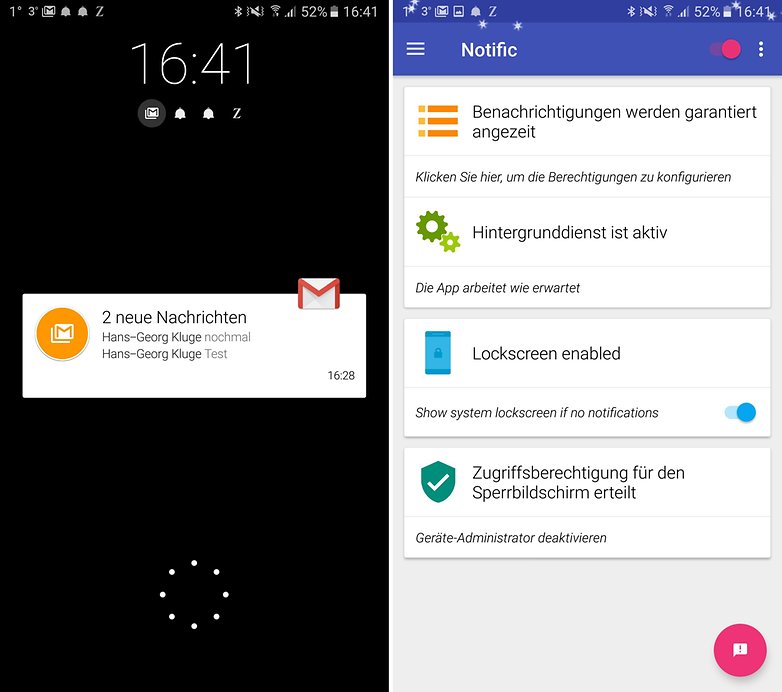
Notific : Lockscreen Notifications
Bietet Euer Smartphone dieses Feature nicht, hilft Euch die App Notific dabei. Und das geht so: Notific zeigt Euch eintreffende Nachrichten an, auch wenn das Display ausgeschaltet ist. Das gibt Euch sofort einen Blick auf die eingegangene Nachricht. Natürlich könnt Ihr filtern, über welche Apps Ihr informiert werden wollt.
Start Lock creen
Der Start Lock Screen erinnert ein bisschen an den beliebten, aber von Microsoft eingestellten Next Lock Screen von Microsoft. Das Ziel der App ist es, Euch bereits über den Lockscreen mit möglichst vielen Informationen zu versorgen, damit Ihr das Telefon gar nicht erst entsperren müsst. Es gibt eine Web-Suche, verschiedene Passwortsperren, Widgets, Tools, Nachrichten, Wetter, App-Shortcuts und mehr.
${app-com.celltick.lockscreen}Für Bastler: Smartphone anpassen mit und ohne Root
Ein neuer Launcher ist schnell installiert, ebenso schnell ist ein Wallpaper eingerichtet. Mit diesen Mitteln könnt Ihr schon einiges anpassen, aber an einige Funktionen und Design-Aspekte Eures Smartphones kommt Ihr so noch nicht heran. Zum Beispiel die Benachrichtigungsleiste. Wer hier Anpassungen vornehmen möchte, muss bereit sein, mehr als nur eine simple App zu installieren, wenn der Hersteller diese Möglichkeit nicht von sich aus einräumt.
Substratum: Die Theme-Engine für Android
Für Smartphones mit Android Oreo gibt es beispielsweise ie Theme-Engine Substratum, die Ihr auch ohne Root installieren könnt. Aber es braucht mehrere Schritte, um Substratum einzurichten. Vor allem ohne Root müsst Ihr Euch einem mehrstufigen Verfahren stellen. Zunächst installiert Ihr die Theme Engine aus dem Play Store sowie das optionale Plugin, das für ein rootfreies Funktionieren von Substratum sorgt – letzteres kostet einmalig 1,99 Euro.
${app-projekt.substratum}${app-projekt.andromeda}Das alleine reicht aber noch nicht. Ihr müsst nun in den Entwicklereinstellungen USB-Debugging aktivieren und auf Eurem Windows-PC, Mac oder Linux-Rechner den substratum-Client installieren. Startet jetzt die substratum-App. Verbindet Smartphone und PC und folgt den Anweisungen auf Eurem Smartphone. Die Aktivierung von substratum via PC müsst Ihr nach jedem Neustart Eures Smartphones wiederholen, was entweder lästig oder unpraktisch ist. Root-User haben mit der Aktivierung via PC nichts am Hut.
Jetzt erst könnt Ihr mit substratum loslegen. Aber wie! Themes findet Ihr im Play Store und ladet sie via App herunter. substratum erlaubt es, sämtliche Aspekte der UI anzupassen, sodass komplette Mods möglich sind. Ihr wollt lieber, dass Euer Smartphone schwarz sieht?
${app-com.brit.swiftblack.layers}Oder soll Euer Homescreen-Hintergrund durch jede App hindurch scheinen?
Inzwischen gibt es im Play Store eine Menge Themes für substratum und Ihr könnt Euch sicher sein, dass kaum ein anderer User dieses Design auf seinem Smartphone hat.
Xposed: Ohne Root geht nichts
Großflächige Änderungen an Android sind mit Hilfe von Xposed möglich. Dieses Framework erfordert Root, damit Ihr es überhaupt installieren könnt. Also erstmal Euer Android-Smartphone rooten. Nach dem Rooten installiert Ihr noch eine Custom Recovery und könnt dann Modifikationen auf System-Ebene installieren. Und hierzu zählt eben auch das Xposed-Framework. Das stellen wir Euch zusammen mit einer Handvoll weiterer Root-Apps im separaten Artikel vor.
Die meisten Module verändern nur kleine Aspekte der Android-Oberfläche. Gelegentlich schließen sie nur funktionelle Lücken oder beheben sogar Fehler. Im Falle von GravityBox geht es jedoch deutlich weiter und erlaubt Euch den kompletten Umbau Eurer Oberfläche. Das Modul wird aber nur empfohlen, wenn Ihr ein recht Stock-nahes Android habt; Samsung Experience oder Huawei EMUI werden mit GravityBox wahrscheinlich abstürzen.
Custom-ROM
Auf manchen Geräten lässt sich auch die komplette Firmware (wird auch ROM genannt) austauschen. Drittanbieter sind oft engagierte Hobby-Programmierer, die entweder nah am Android-Open-Source-Project-(AOSP)-Code ein eigenes ROM entwickelt haben, oder die LineageOS für Euer Smartphone kompiliert und getestet haben. Falls sie als Release in dieser Liste genannt werden, gelten sie als stabil und sind ein brauchbarer Ersatz für die vorinstallierte Firmware. Eine Custom-ROM-Typenberatung haben wir in einem separaten Artikel aufbereitet.
Was benutzt Ihr, um Euer Smartphone Euren Wünschen anzupassen?
Diese Tipps und Tricks werden regelmäßig aktualisiert. Vorhandene Kommentare könnten sich daher auf frühere Varianten des Artikels beziehen und aus dem Zusammenhang gerissen erscheinen.



Auf den Artikel Stoß ich an mit einem Glas Milch 👌😋🥛. Super der Bericht.
Danke für diesen Artikel 👍
Da ich mein S7 immer wieder gerne verändere bzw. personalisiere, sind für mich einige Anregungen/Apps dabei, die ich gerne mal ausprobieren werde.
Gehört zwar nicht ganz hier her, aber wenn einer eine helfende Lösung zu mein Problem hätte, währe ich dem jenigen sehr dankbar. :D
https://www.androidpit.de/forum/768399/medion-lifetab-p8502-gruenstoerungen-bei-videos
Ein Artikel „ Smartphones unter 200€ „ wäre besser als ein Artikel der 5 Jahre alt ist....was soll das denn?...
Wir aktualisieren regelmäßig wichtige Artikel, zu interessanten Themen, um sie auf dem aktuellen Stand zu halten. Das bekommst du im übrigen nur mit, wenn wir mehr als "ein Wort" geändert haben. Ansonsten werden diese Artikel im Hintergrund aufgefrischt. So finden unsere Leser nach Möglichkeit immer aktuelle Infos, egal ob Sie neu in der Community oder alte Hasen sind.
Ich nutze bei meinem Mate S den Nova Launcher Prime mit dem Icon Pack "Steelicons"
Zudem nutze ich zum besseren Durchschauen der Nachrichten NBubble
-
Admin
02.09.2018 Link zum Kommentar"Mancher Launcher verwandelt Euer Smartphone in einen iPhone-Klon. / © AndroidPIT"
Na ja, dann lieber gleich ein iPhone als so einen peinlichen Launcher.
Ideen ?
Es ist IFA und mit "euch" scheint "keiner" reden zu wollen (den Eindruck könnte man durchaus bekommen) !... oder erst garnicht auf der Ausstellung ?
Gehen euch die Ideen aus oder warum gräbt man diesen alten Beitrag wieder aus?
Naja irgendwann muss der Keller mal entrümpelt werden da entdeckt man sowas und denkt sich auch mit einem neuen Wort ist der aktuell und wir merken das nicht...
Wir aktualisieren immer mal wieder Beiträge, die noch immer relevant sind, aber es neue Informationen, Apps oder anderes gibt. Das hat nichts mit fehlenden Ideen zu tun. :)
Finde ich im Prinzip ja super, aber was ist denn bei diesem Artikel neu? Kommt mir alles bekannt vor und es ist auch nichts als neu markiert.
Aktualisieren und relevant ist ja gut und schön aber bei so einem alten Artikel kommt mir es eher vor wie bei einem Bericht über Michael Schumacher in einer Klatschzeitung. Die nehmen auch einen vier Jahre alten Artikel bauen zwei Zeilen um Schreiben noch zwei neue sätze dazu und schon haben wir wieder vier Seiten zu berichten.
Nova Launcher, Folder Organizer, HD Widgets und Elixir Widget. Dann hat man alles übersichtlich und funktional.Ich habe meine Tablets und Smartphones damit und mit Googles Hilfe jedes mal in einer Stunde eingerichtet.
Ich liebe den Smart Launcher. Die kreisförmige Blume ist bei mir doppelt belegt, so habe ich alle benötigten Apps direkt vom Startbildschirm aus - und dazu noch next lock screen. Für mich eine perfekte Kombi.
Bei Android gibt es immer viele verschiedene Möglichkeiten. Das ist einen guten Vorteil.
Für mich das wichtigste : ein Appdrawer. So hab ich immer ordentlich alles was ich brauche. Solange das die Hersteller auch anbieten brauche ich keinen Extralauncher. Aber gut das dies zumindest unter Android möglich ist.
weiß jemand wie der launcher auf dem bild mit "iphone-klon" heisst?
das dürfte der Arrow Launcher von Microsoft sein
https://play.google.com/store/apps/details?id=com.microsoft.launcher&hl=de
super danke