WhatsApp-Alternativen: Die besten Messenger für mehr Datenschutz

In anderen Sprachen lesen:
NextPit zeigt Euch die besten WhatsApp-Alternativen! Dabei holt Ihr Euch ganz neue Funktionen und gewinnt vor allem ordentlich an Datenschutz hinzu. Denn der zu Facebook gehörende Messenger ist eine echte Datenkranke. Das ist bei Alternativen wie Threema oder Signal deutlich besser – Telegram hingegen bietet echt coole Funktionen.
Beschäftigt man sich regelmäßig mit Alternativen zu WhatsApp, fragt man sich, warum der Messenger eigentlich so beliebt ist. Denn auch wenn WhatsApp die erste gängige Alternative zur kostenpflichtigen SMS auf dem Handy war, hat sich der Messenger in den letzten Jahren ordentlich gehen lassen. Im Mai 2021 treten zudem unschöne Änderungen bei den AGBs in Kraft.
Durch diese verschlechtert sich die Situation rund um Datenschutz und Nutzerdaten noch einmal deutlich. Aber auch wenn Euch das egal ist, macht WhatsApp nicht mehr wirklich was her. In unseren 8 Gründen gegen WhatsApp findet Ihr nämlich heraus, dass bei WhatsApp einiges im Argen ist. Daher zeigen wir Euch in unserem Messenger-Vergleich die besten Alternativen.
Das sind die besten WhatsApp-Alternativen:
Telegram: Die einzig wahre WhatsApp-Alternative?
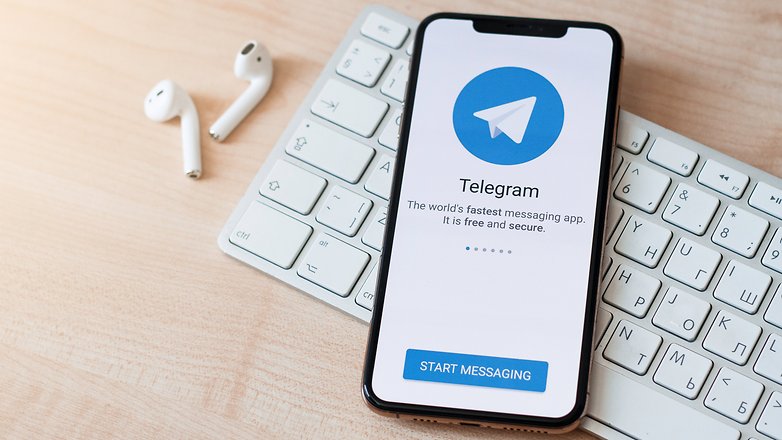
Telegram findet sich routinemäßig an der Spitze der Liste in jedem Artikel über WhatsApp-Alternativen – und das aus gutem Grund. Abgesehen davon, dass es mit Funktionen vollgestopft ist, ist Telegram auch optisch WhatsApp sehr ähnlich, was den Nutzern ein Gefühl der Vertrautheit gibt, wenn sie schließlich den Wechsel vollziehen.
Aber warum ist Telegram besser als WhatsApp? Abgesehen von der Vertrautheit der Benutzeroberfläche sind es die Kernfunktionen von Telegram, die im Vergleich zu WhatsApp besser implementiert sind und damit die meisten Leute dazu bewegen, bei Telegram zu bleiben.
Telegram ist eine vollwertige Messaging-App, die fast alles kann, was Ihr Euch von einer solchen App wünschen würdet. Sie unterstützt Einzelchats/Videoanrufe, Gruppenchats, Kanäle, Audioanrufe, das Einrichten von Bots und kann sogar Umfragen durchführen. Wie Ihr vielleicht bemerkt habt, sind einige dieser Funktionen nicht einmal auf WhatsApp vorhanden.
Eine weitere Sache, die Telegram-Nutzer an der App lieben, ist die nahtlose Multi-Device-Unterstützung. Im Gegensatz zu WhatsApp muss die Web-App von Telegram nicht mit Eurem Telefon verbunden sein, um einen nahtlosen Austausch von Nachrichten zu ermöglichen. Was noch dazu kommt? Alles, was Ihr tut, wird auf Telegram synchronisiert – auch nicht gesendete Nachrichtenentwürfe!
Als ob all diese Funktionen noch nicht genug wären, unterstützt Telegram auch das Teilen von großen Dateigrößen bis zu 1,5 GB. In der Tat kann man sich das wie einen Cloud-Speicherdienst vorstellen, und einige meiner Freunde nutzen Telegram sogar als solchen. Um sicherzustellen, dass diese Dateien nicht gelöscht werden, müsst Ihr Euch lediglich mindestens einmal alle sechs Monate anmelden.
Weitere bemerkenswerte Telegram-Funktionen:
- Video- und Bildkomprimierungsfaktor kann kontrolliert werden.
- Unterstützung für kurze Videonachrichten.
- Die Möglichkeit, Nachrichten nach dem Senden zu bearbeiten.
- Nahtlose Übertragung von Chat-Daten von Android zu iOS und umgekehrt.
- Personen, die Euch nicht kennen, können Eure Nummer in großen Gruppen nicht sehen.
- Oh, und ja: Es gibt keine Beschränkungen für Gruppengrößen. Ihr könnt bis zu 200.000 Mitglieder hinzufügen!
Das spricht gegen Telegram
Es ist natürlich auch nicht alles eitel Sonnenschein bei Telegram. Telegram unterstützt zum Zeitpunkt des Schreibens dieses Artikels beispielsweise keine Gruppen-Videoanrufe – eine Funktion, die bei WhatsApp-Nutzern sehr beliebt ist (aber diese Funktion kommt wirklich bald!). Ein weiterer Kritikpunkt ist die Ende-zu-Ende-Verschlüsselung von Telegram, die standardmäßig nicht aktiviert ist. Da die App in Russland entwickelt wurde, gibt es auch immer wieder bedenken rund um den Datenschutz. Das Unternehmen hat außerdem kürzlich angedeutet, dass es eine Form von Werbung einführen könnte, um mit den steigenden Kosten Schritt zu halten.
Insgesamt denke ich, dass Telegram eine sehr gute Alternative zu WhatsApp ist – und mit über 500 Millionen Menschen, die es bereits nutzen, stehen die Chancen gut, dass Ihr viele Ihrer Freunde und Familie findet, die Telegram bereits nutzen.
Fazit: Wir denken, dass Telegram trotz einiger Mängel die beste WhatsApp-Alternative ist, die es derzeit gibt.
- Ladet Telegram aus dem Google Play Store oder dem Apple AppStore herunter.
Signal: Kostenlos und mit Privatsphäre im Fokus
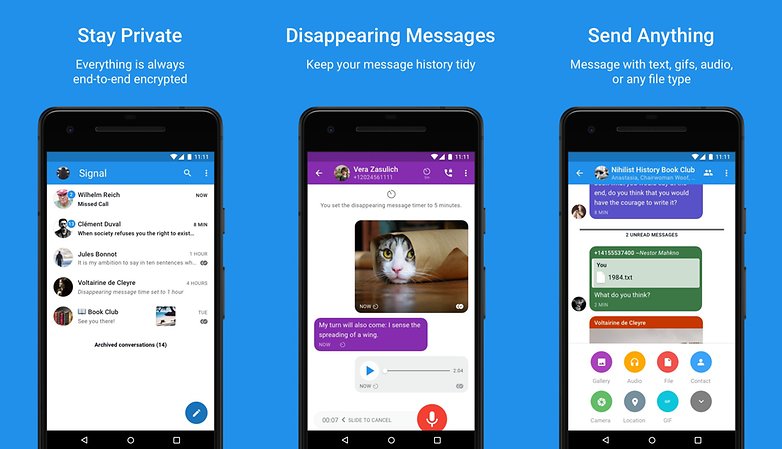
Signal hat sich spätestens 2021 zu einer starken WhatsApp-Alternative entwickelt. Die Popularität der App ist kurz nach der berüchtigten Ankündigung von WhatsApp in die Höhe geschnellt. Nachdem sie von Leuten wie Edward Snowden und Elon Musk befürwortet wurde, hat Signal weiterhin seinen Fokus auf Privatsphäre, Datenschutz und Sicherheit als seine besten Eigenschaften hervorgehoben. Signal hat, wie WhatsApp und Telegram, auch eine Desktop-App, sodass Ihr nahtlos übers Smartphone oder den Computer Nachrichten versenden könnt.
Obwohl Signal in Bezug auf Zusatzfunktionen nicht so stark ist wie Telegram, sind die Kernfunktionen von Signal, die Einzelchats, Gruppen, Video- und Sprachanrufe umfassen, dafür bekannt, dass sie ziemlich gut funktionieren. Was Signal jedoch auszeichnet, ist sein unermüdliches Bestreben, eine sichere Plattform zu sein und sein Engagement, dies für immer zu bleiben. Das Unternehmen hat gesagt, dass es immer frei von Werbung und Affiliate-Vermarktern bleiben wird.
Das spricht gegen Signal
Signal hat derzeit eine Nutzerbasis von 50 Millionen Menschen, was deutlich weniger ist als das, was sich bei WhatsApp oder Telegram tummelt. Gegen einen Wechsel zu Signal spricht daher nicht die App selbst – sondern am ehesten der Mangel an genügend Leuten, mit denen man auf dieser sicheren App chatten kann.
Fazit: Signal ist eine großartige App für User, die misstrauisch und unsicher gegenüber den wahren Absichten von Telegram sind.
- Ladet Euch Signal aus dem Google Play Store oder dem Apple AppStore herunter.
Threema: Grandiose WhatsApp-Alternative für ein bisschen Geld
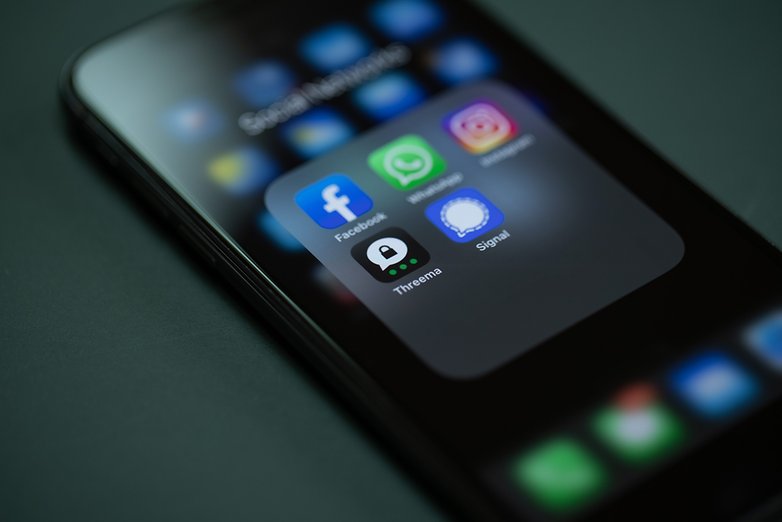
Threema ist in Europa eine recht populäre Messaging-App, die aber über Europa hinaus noch keine großen Wellen schlägt. Einer der Hauptgründe dafür ist die Tatsache, dass Threema, im Gegensatz zu den meisten anderen kostenlosen Apps, eine kostenpflichtige App ist, bei der Ihr 3,99 Euro für den Download hinblättert.
Im Gegenzug für diesen eher geringen Betrag erhaltet Ihr eine App, die ziemlich vollgestopft mit Features ist. Neben der Unterstützung von Gruppenchats, Verteilerlisten und Kanälen unterstützt Threema nun auch Audio-/Videoanrufe und sogar Umfragen. Threema bekommt auch einen Desktop-Client – allerdings ist die Philosophie hier die gleiche wie die von WhatsApp, dass die Desktop-App mit dem Telefon verbunden sein muss, damit sie funktioniert.
Was Threema jedoch von WhatsApp abhebt, ist die Betonung der Privatsphäre. Nachdem Ihr Eure vier Euro bezahlt habt, will das Unternehmen nichts mehr von Euch wissen. Ihr erstellt einfach Eure ID und könnt die App für immer anonym nutzen. Das Auffinden einer Person über ihre ID ist nur möglich, wenn diese Euch freiwillig Zugang gewährt. Ein echter Zugewinn an Datenschutz und Privatsphäre also. Wie Ihr Euch vielleicht denken könnt, ist die gesamte Kommunikation über Threema Ende-zu-Ende-verschlüsselt, und es werden keine Daten auf deren Servern gespeichert.
Das spricht gegen Threema
Threema ist zwar sehr funktionsreich, aber das kostenpflichtige Geschäftsmodell bedeutet, dass es wohl auch weiterhin nur ein Nischenpublikum anziehen wird, das sich große Sorgen um den Online-Datenschutz macht. In seiner jetzigen Form ist es unwahrscheinlich, dass die kritische Masse erreicht wird, die eben von WhatsApp, Telegram oder sogar Signal erreicht wird. Oh, und falls ich es noch nicht erwähnt habe, Threema ist nicht so toll, wenn es darum geht, Chat-Backups von einem Gerät auf ein anderes zu übertragen.
Fazit: Holt Euch Threema, wenn Ihr an das Motto "Pay for your privacy" glaubt. Aber Eure Freunde davon zu überzeugen, für eine Messaging-App zu bezahlen, wird wohl eher schwierig werden.
- Ladet Threema aus dem Google Play Store oder dem Apple AppStore herunter.
Der Rest der Messenger in dieser Liste ist bei weitem nicht so populär wie die oben genannten – oder hat sich in eine Messaging-App verwandelt, nachdem er ursprünglich für etwas anderes entwickelt wurde, aber wir listen sie trotzdem auf, damit Ihr die Alternativen zumindest auf dem Schirm habt.
iMessage: Der Tipp für Apple-Nutzer
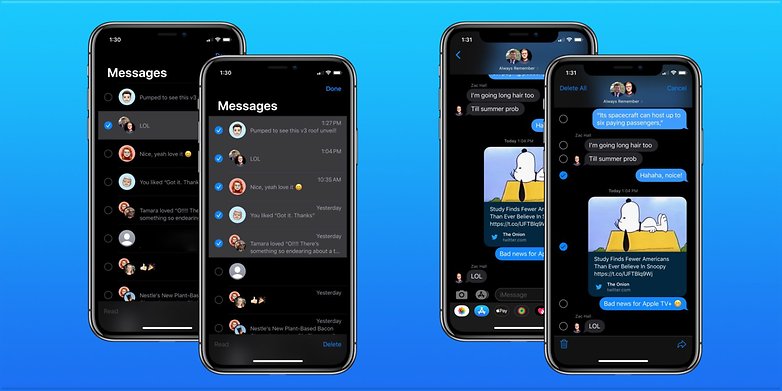
iMessage ist in den USA ein weit verbreiteter Messaging-Client unter den iPhone-Nutzern des Landes. Außerhalb der USA schlägt es jedoch keine besonders großen Wellen, da dort WhatsApp weiterhin die Oberhand hat.
Angesichts der Beliebtheit von iPhones und iOS in den USA sind die Chancen jedoch hoch, dass die meisten Menschen mit iMessage als alleiniger Messaging-App auskommen. Mit iMessage können Menschen Nachrichten an jedes Smartphone da draußen senden und es unterstützt auch eine Ende-zu-Ende-Verschlüsselung.
Die App unterstützt zudem auch plattformübergreifendes Messaging – nur halt auf Apple-Produkte beschränkt. In einigen Ländern könnt Ihr iMessage auch nutzen, um mit Apple Pay Geld zu senden und zu empfangen. Aber das ist eine Funktion, die sogar WhatsApp für einige Länder mit einem Dienst namens WhatsApp Pay aktiviert hat.
Das spricht gegen iMessage
Als ob es nicht schon offensichtlich wäre: Um iMessage zu verwenden, müsst Ihr Teil des iOS-Ökosystems sein. Ihr könnt zwar über iMessage gesendete Nachrichten auf anderen Geräten empfangen, aber Euch fehlen die wichtigsten Funktionen, wenn Ihr nicht Teil des Apple-Kults seid. Es gab zwar Rufe nach einer Android-iMessage-App, aber die Chancen, dass dies geschieht, bleiben gering.
Alles in allem stehen die Chancen gut, dass Nutzer in den USA bereits iMessage anstelle von WhatsApp nutzen, da letzteres im Land der Amis nicht ganz so populär ist.
Fazit: Für iMessage müsst Ihr in ein Apple-Produkt investieren. Außerdem scheint es außerhalb der USA fast niemand zu nutzen.
Discord: Denkt mal über Gaming heraus!
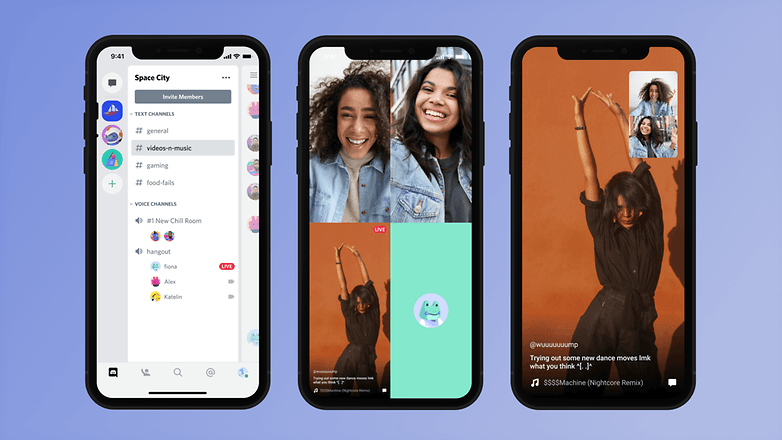
Moment, was? Discord als Messaging-App?
Wie sich herausstellt, kennt Ihr Discord vielleicht schon als ziemlich bekannte Spiele-Chat-Plattform. Im Laufe der Zeit hat es sich jedoch in eine funktionsreiche Messaging-Plattform verwandelt, die eine Menge nützlicher und leistungsstarker Funktionen unterstützt.
In der Tat gibt es eine gute Chance, dass Discord in Zukunft zu einer noch besseren Messaging-App und einer brauchbaren WhatsApp-Alternative werden könnte. Die begeisterten Gamer unter unseren Lesern verwenden vielleicht schon Discord als primäre Messaging-App.
Zum Zeitpunkt des Schreibens dieses Artikels unterstützt Discord verschiedene Funktionen wie Einzelchats, Gruppenchats, Gruppenanrufe und die gemeinsame Nutzung von Medien. Die Größe der Gruppenchats ist jedoch derzeit auf nur 10 Personen beschränkt. Oh, haben wir schon erwähnt, dass Discord native Apps für eine Vielzahl von Plattformen hat, darunter Android, iOS, Windows, macOS und sogar Linux?
Das spricht gegen Discord
Discord – so beliebt es unter Gamern auch sein mag – ist unter Menschen, die nach einer WhatsApp-Alternative suchen, immer noch eine relativ unbekannte Größe. Daher sind die Chancen, dass Discord über den Rahmen einer Gaming-Plattform hinaus wächst, zu diesem Zeitpunkt gering.
Wir sehen zwar nicht, dass Discord selbst versucht, sich als WhatsApp-Alternative zu positionieren, aber einige seiner Funktionen machen es zumindest für einen kleinen Prozentsatz der Nutzer zu einer indirekten WhatsApp-Alternative.
Fazit: Discord ist unter Gamern sehr beliebt. Nicht so sehr unter den Mitgliedern der allgemeinen Messenger-App-Download-Öffentlichkeit.
- Ladet Discord aus dem Google Play Store oder dem Apple AppStore herunter.
Weitere Alternativen zu WhatsApp
Die wahre Schwierigkeit: Wie überzeuge ich Freunde von WhatsApp-Alternativen?
Ihr habt wirklich die Nase voll von WhatsApp und wollt Facebook nicht länger mit Euren Daten unterstützen? Dann könnt Ihr leider nicht einfach WhatsApp deinstallieren und annehmen, dass Eure Kontakte Euch einfach wiederfinden. Ihr müsst Eure WhatsApp-Kontakte entweder einzeln, per WhatsApp-Status oder via Broadcast darüber informieren, dass Ihr bald nicht mehr via WhatsApp sondern über die anderen und den neuen Kanal erreichbar seid. Fragt auch, welche Messenger die anderen verwenden und lernt vielleicht ihre Präferenzen neu kennen. Wichtig: Plant eine Übergangsphase ein.
Nach einigen Wochen parallelem Betrieb werdet Ihr für all Eure Kontakte eine Ausweichlösung gefunden haben. Und dann könnt Ihr WhatsApp einfach deinstallieren. Wenn Ihr Euch ganz sicher seid, könnt Ihr Eure Nummer auch dort löschen.
Horcht Euch im Freundeskreis um. Fast jeder nutzt noch einen zweiten Messenger. Da tut sich manche Perle auf, die in einer solchen Übersicht gar nicht erwähnt wird.
Und jetzt zu Euch: Was ist Eure Lieblings-Alternative zu WhatsApp und welchen Messenger sollten wir in diesem Artikel unbedingt noch aufnehmen?













I believe there are many more reliable alternatives to WA. For example, Utopia p2p https://u.is/en/ all-in-one application that allows you not only to successfully communicate, but also guarantees anonymity, but also complete security of personal data. Plus, it's completely free, which saves money.
-
Admin
07.05.2021 Link zum Kommentar"Am 15. Mai wird WhatsApp seine neuen Nutzungsbedingungen durchsetzen. Die Änderungen sind auf breite Ablehnung gestossen und haben neben einer Welle der Entrüstung auch eine neue Grundsatzdebatte über Datenschutz bei Messaging-Diensten ausgelöst.
Unzählige WhatsApp-Nutzer haben die Kontroverse zum Anlass genommen, sich von Facebooks umstrittenem Chat-Dienst loszusagen und der Verwertung ihrer Nutzerdaten Einhalt zu gebieten.
Die Einsicht, dass Privatsphäre einen unschätzbaren Wert und Gratis-Dienste oft einen hohen Preis haben, verbreitet sich immer weiter. Mehr Internet-Nutzer denn je sind heute bereit, einmalig einen kleinen Geldbetrag für einen Dienst zu bezahlen statt kontinuierlich die eigene Privatsphäre preiszugeben.
Diese Entwicklungen haben seit Anfang Jahr bereits über eine Million neue Nutzer zu Threema geführt. Für die verbleibenden WhatsApp-Nutzer haben wir hier die wichtigsten Gründe zusammengefasst, die dafür sprechen, auf Threema umzusteigen, statt WhatsApps neue Nutzungsbedingungen zu akzeptieren:"
https://threema.ch/de/warum-threema
Quelle: Threema
"Denn auch wenn WhatsApp die erste gängige Alternative zur kostenpflichtigen SMS auf dem Handy war, hat sich der Messenger in den letzten Jahren ordentlich gehen lassen."
Öm nein Icq hatten auch sehr viele auf dem Handy, das lief schon auf uralten Nokias die nicht mals Html konnten, bis Whats App wirklich gängig wurde verging fast ein ganzes Jahrzehnt.
Threema. Punkt (m.M.n)
-
Admin
-
Staff
05.05.2021 Link zum KommentarAm 15. Mai treten die neuen AGBs bei WhatsApp in Kraft. Grund genug, dass sich Rahul unsere WhatsApp-Alternativen einmal vorgenommen und auf den neusten Stand gebracht hat!
-
Admin
05.05.2021 Link zum KommentarDanke. Aber vielleicht hätte er doch noch wire als Alternative auflisten können. Wir hatten hier ja mal einen tollen User-Test darüber. Und es ist - wohl für die meisten hier wichtig - kostenlos.
Ich vermisse TeleGuard...
Ist es aber eh nicht so, dass Aufgrund der europäischen Datenschutzverordnung, sich bei uns im Grunde genommen garnichts ändert?
So wie ich das gelesen habe, dürfen die Daten im europäischen Raum nicht einfach hin und her jongliert werden. Zumindest nicht auf offiziellem Wege.
Ich finde viber erwähnenswert. Konnte alles was whatsapp nach 6 Monaten oder 1 Jahr bereitgestellt hat, quasi von Anfang an. Habe es damals gerne als videocall genutzt mit Verwandten im Ausland. Nachrichten schreiben, Verschlüsselung von Haus aus. Neulich kam ein Update einfach so. Jetzt bis zu 20 Leute gleichzeitig im videocall. WhatsApp hat es dick fett angekündigt....
Schaut euch viber an. Ich wünschte alle meine Kontakte hätten es. Ich würde es schon längst nutzen.
Nutze Telegramm und Signal, was den Datenschutz angeht bin ich zwar bei Telegramm auch nicht voll überzeugt, aber habe um ehrlich zu sein auch nichts zu verbergen. WhatsApp ist ein rotes Tuch seit der Übernahme von Facebook.
-
Admin
03.05.2020 Link zum KommentarJeder hat was zu verbergen. Ohne Ausnahme.
Selbst wenn wir in der heutigen Situation nichts zu verbergen haben, kann es sein, dass sich das ändert.
Juli Zeh sagt einmal: Stellen wir uns doch mal vor, Hitler hätte die Möglichkeiten von heute... (frei zitiert aus dem Podcast "Alles gesagt" von der ZEIT)
Es ist interessant, wie schnell eine Aussage eines Politikers übernommen wird.
Übrigens:
7 Gründe, weshalb "Ich habe nichts zu verbergen" die falsche Reaktion auf Massenüberwachung ist
https://www.amnesty.de/informieren/artikel/7-gruende-weshalb-ich-habe-nichts-zu-verbergen-die-falsche-reaktion-auf
Das Thema hatten wir so oft.
Leider hat sich seit Jahren nichts geändert. Die Dominanz von WhatsApp basiert auf dem Kunden. Datenschutz hat keine Bedeutung so lange ich über den Messenger kaum jemand erreiche oder erreichbar bin. Ja man wird stellenweise sogar vom sozialen miteinander ausgeschlossen. Das soll heute Mal keine negative Wertung sein. Ich hab mich damit abgefunden. Fängt ja schon bei Google als Betriebssystem an. Die politische Welt und Konzerne haben kein Interesse an digitaler Privatsphäre. Das letzte was bleibt ist den Kopf einschalten was ich durch das Internet schicke.
Die Leute haben doch selbst alle kein Interesse am Datenschutz. Wenn es um eine Coronaapp geht, ja da ereifert man sich, zetert und wettert lautstark und rechtschaffen dagegen, ein paar Daten von sich preiszugeben, auch wenn man dadurch vielleicht etliche Menschenleben retten könnte. Aber wenn es um die eigene Bequemlichkeit geht wie im Fall von WhatsApp oder wenn man wie bei Xiaomi ein paar Kröten sparen kann, dann ist Datenschutz plötzlich überhaupt nicht mehr wichtig.
-
Admin
03.05.2020 Link zum KommentarNennt man das nicht auch Scheinheiligkeit? 😇
Ich glaube nicht, dass die Leute kein Interesse am Datenschutz haben. Es ist eher die Komplexität des Themas und weil man die Datenschutzverletzungen in der IT nicht bemerkt. Den Nachbarn am Fenster, der Falschparker aufschreibt, sieht man.
Die Coroana-Apps sind ein gutes Beispiel, wie das Thema Datenschutz eskaliert wird, um ihn letztlich die Akzeptanz von wenig Datenschutz zu schaffen. Ursprünglich ging es darum, gewarnt zu werden, wenn man Kontakt zu einem Infizierten hatte, um sein eigenes Verhalten anzupassen (Bspw. sich in Selbst-Quarantäne zu begeben). Dazu wurde in den Medien verbreitet, das sei datenschutzkonform umsetzbar. Das ist, was in den Köpfen hängengeblieben ist.
Dass eine Datenspende-App vom RKI damit gar nichts zu tun hat und plötzlich auch Forderungen kommen, die ohne Standortdaten und Anonymisierung nicht funktionieren werden, machen das Thema für die meisten zu kompliziert. Dann wird einfach nur gefordert, das Thema nicht zu zerreden, die App endlich fertigzustellen und den Datenschutz in Anbetracht der aktuellen Lage außer Acht zu lassen.
Genauso machen es WhatsApp und Telegram. Sie bewerben, was sie besser machen als der Mitbewerber. Sie sagen nicht, was sie schlechter machen wie der Mitberwerber oder verklausulieren es so, dass es möglichst wenig verstehen. Das zudem in dem Wissen, dass ohnehin die wenigsten lesen, auf was sie sich einlassen.
Dass der eine so schlecht wie der andere ist, nur in unterschiedlichen Teilbereichen des Datenschutzes, versteht der Laie nicht und kommt zum Ergebnis: "Ich nutze das, was die meisten nutzen." oder "Ich nutze das andere, weil Facebook grundsätzlich schlecht ist auch wenn ich nicht genau verstanden habe, warum."
@Tenten irgendwie ist das alles andere als logisch gegen WhatsApp in Sachen Datenschutz ins Feld zu ziehen, aber gleichzeitig anprangern das man den plötzlich aus dem Boden gestampften Corona Apps misstrauisch gegenüber eingestellt ist. Wie man mit diesen Corona Apps ernsthaft verifizieren will das man mit einem Infizierten kontakt hatte wird nirgendwo genauer erklärt. Bisher hieß es immer das ein so punktgenau er Ortung eines Smartphone nur mit technisch extrem hohen Aufwand verbunden ist. Jetzt sollen aber schnell zusammengeschusterte Corona App Datenschutzkonform sein und eine Standortbestimmung auf 50 - 100cm genau ermöglichen? Und dann auch noch zeitlich genau ermitteln können das man mit diesen Infizierten exakt zur selben Zeit am selben Ort war?
Ich finde es unglaublich wie viele kopflos ihre Daten unter dem Deckmantel der Gesundheit preis geben aber anderseits unaufhörlich meckern das WhatsApp ihre Telefonnummer kennt.
Was lässt sich wohl besser ausschlachten und kann extrem negative Folgen nach sich ziehen, Deine Telefonnummer oder vielleicht doch eher sensible Daten über deine Fitness und deine Gesundheit. Wobei du noch nicht einmal nachvollziehen kannst welche Gesundheitsdaten ausgewertet werden und was genau damit passiert.
Da gebe ich lieber alles andere Preis, aber meine Gesundheits- und Fitnessdaten bekommt kein Smartphone, keine Smartwatch und auch kein Fitnesstracker solange ich das irgendwie verhindern kann. Die Folgen die das haben kann bzw. in Zukunft noch haben wird sind haarsträubend.
Gehe mal in die Niederlande, da steht sogar an den Ortsschildern das Whatsapp Logo ( Bürgergruppen die Einbrecher melden.)
Gut finde ich das nicht.
WhatsApp-Alternative Nummer 1: Telegram
Muahahahaha
Da hab ich dann aufgehört zu lesen.