Video-Player für Android: VLC, MX-Player und Kodi spielen fast Alles
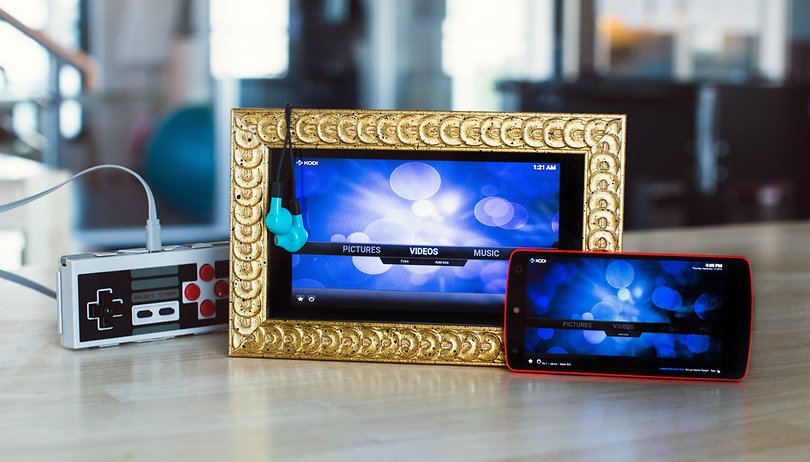

Android beherrscht schon ab Werk die gängigsten Video-Formate. Bestimmte Video-Player bieten jedoch zusätzliche Features und machen die Video-Wiedergabe auf dem Android-Smartphone oder -Tablet noch besser.
Im Heimkino wichtige Audio-Formate wie DTS oder AC3 kann Android nativ nicht wiedergaben. Hier ist es nötig, dass der Video-Player einen eigenen Decoder dafür mitbringt. Ansonsten werden Videos mit entsprechenden Audio-Spuren als Stummfilme abgespielt. Welche Video-Formate Android aktuell unterstützt, wird immer bei Google aufgelistet.
Wenn Ihr Android 6.0 Marshmallow oder neuer habt, könnt Ihr folgenden Video-Formate dekodieren:
H.263 | H.264 AVC | H.265 HEVC | MPEG-4 SP | VP8 | VP9
Ihr könnt dazu passend folgenden Audio-Formate dekodieren:
AAC LC | HE-AACv1 (AAC+) | AAC ELD | AMR-NB | AMR-WB | FLAC | MIDI | MP3 | Opus | PCM-WAVE | Vorbis
Codecs auslesen
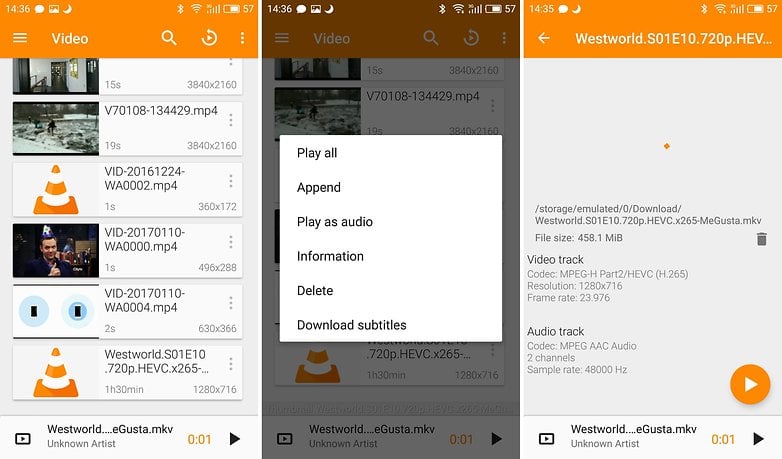
Die Container für die jeweiligen Formate lassen sich meist direkt an der Endung hinter dem Namen der Datei erkennen. Die Codecs selbst müsst Ihr hingegen mit einem Player auslesen. Unter anderem Der VLC Player ist in der Lage, Euch die Codec-Info anzuzeigen. Achtung: Die Info wird erst angezeigt, wenn sich das Video in Eurer Bibliothek befindet.
Die besten Video-Player: MX Player
Der MX Player nutzt etliche Filter und Plugins um die Videoqualität zu verbessern und weitere Formate zu unterstützen. Der Standardkatalog umfasst zusätzlich AVI, DIVX, F4V, FLV, MOV, VOB, WMV und XVID. Außerdem kann der MX Player Untertitel in den gängigen Formaten öffnen.
Der MX Player unterstützt zusätzlich externe Codecs, womit der Format-Support praktisch unbegrenzt ist. Die kostenlose Version blendet Werbung ein. Investiert Ihr sechs Euro, entfällt sie komplett.
${app-com.mxtech.videoplayer.ad}${app-com.mxtech.videoplayer.pro}Die besten Video-Player: VLC for Android
Der VLC Player spielt ebenfalls Videos und Tonspuren plus Untertitel aller erdenklicher Formate ab. Ihr könnt Videos unterschiedlich schnell abspielen, den Untertitel herunterladen und nachsynchronisieren. Auch den Bild-in-Bild-Modus von Android könnt Ihr hier verwenden, die Tonspur der Videos im Hintergrund wiedergeben, Online- oder Netzwerkstreams laden, die Lautstärke verdoppeln, 360-Grad-Content betrachten und und und.
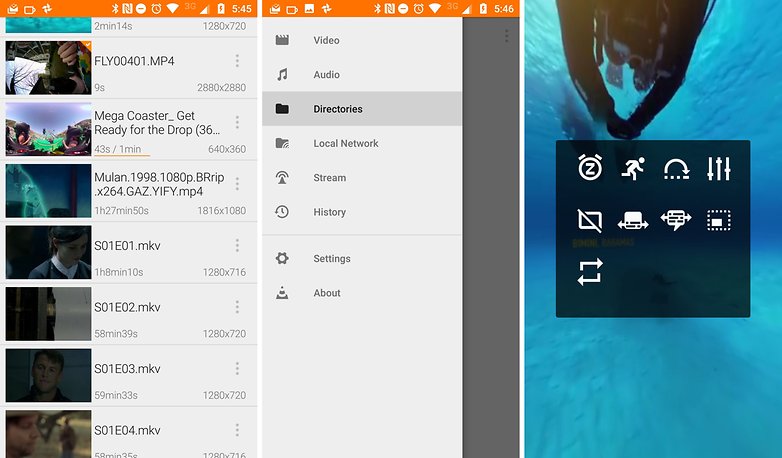
Die App erscheint im modernen Material-Design und läuft stabil. Leider sind die Symbole der Untermenüs doch recht kryptisch und man muss zumeist erst ausprobieren, was diese bedeuten sollen.
${app-org.videolan.vlc}
Android als Media-Center: Kodi / SPMC
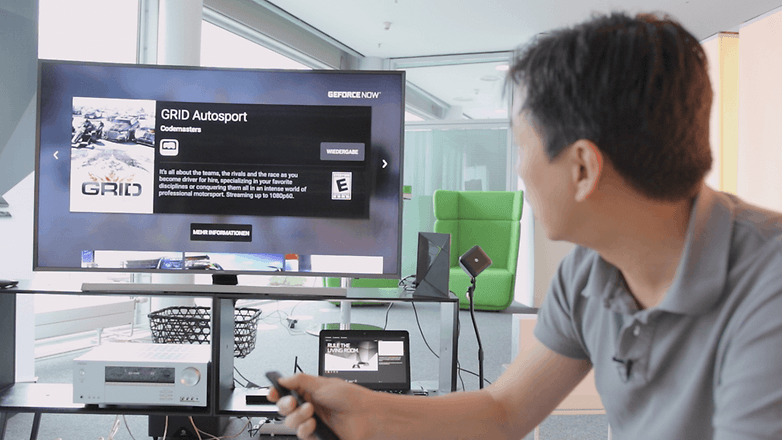
Ihr plant, Euer Android-Gerät an den Fernseher anzuschließen? Dank Type C und HDMI-Passthrough ist das technisch kein Problem mehr. Mit Bluetooth-Gamepads oder -Tastaturen löst man das Eingabeproblem. Auf das NAS lässt sich per WLAN zugreifen. Das geht also alles recht einfach und Hersteller-übergreifend dank der standardisierten Lösungen - wir sind hier schließlich nicht bei Apple.
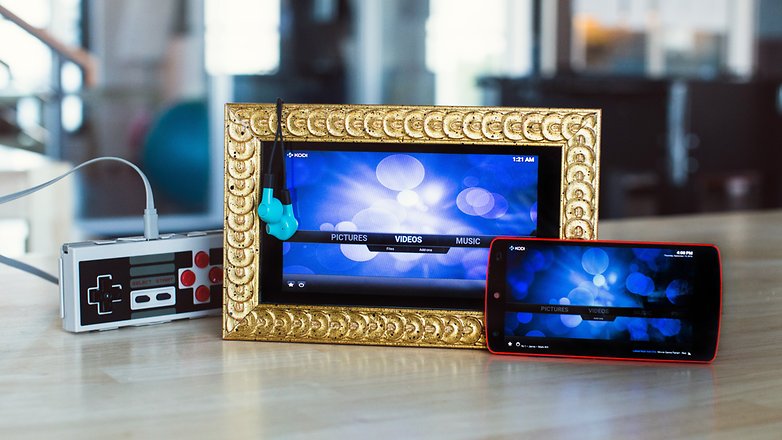
Wenn Ihr also besonders viele Mediendateien aus lokalen Quellen wie einem NAS verwalten wollt, das Media-Center mit einer Fernbedienung oder dem Gamepad steuern wollt und Euer Android-Gerät nur als das Hirn dieser Operation einsetzt, ist Kodi die App Eures Vertrauens.
${app-org.xbmc.kodi}Kodi kommt eigentlich vom Desktop, wurde aber inzwischen richtig gut für Android umgesetzt. Es unterstützt unter anderem...
- Medienbibliotheken
- Skins
- Add-ons
- Online-Streams
- Untertitelsuche
Kodis früherer Android-Entwickler hatte sich eines Tages von dem Kernprojekt abgesetzt und einen Fork erstellt. Unter dem Titel SPMC ist seine Parallelentwicklung erhältlich, die insbesondere für Android-TV-Set-Top-Boxen wie die Nvidia Shield sowie für Android-TV-Fernsehgeräte optimiert wurde.
Was ist Euer Lieblings-Player?
Jetzt seid Ihr am Drücker: Was ist Euer bevorzugter Video-Player für Android? Was sind Eure wichtigsten Features für einen Video-Player? Wie verwendet Ihr Euer Smartphone im Zusammenhang mit Videos?





Nutze MX und VLC. Bei beiden habe ich in bestimmten Konstellationen Probleme vom Netzwerk abzuspielen. mit einem von beiden läuft es aber immer.. 😂
Ich nutze sehr gerne den VLC Play auf allen Plattformen, hat mich noch nie im Stich gelassen.
Ich mag MX Player und finde es ziemlich toll und praktisch.
Den hab ich auch. 👍
Hab den MX Player Pro vor einigen Monaten mal für 10 Cent im "App der Woche Deal" mitgenommen. Finde ihn sehr übersichtlich und hat auch einige gute Funktionen
Ich habe bisher keine Probleme gehabt Filme zu öffnen. Vielleicht habe ich ja auf die richtige Firma gesetzt.
Hallo
gibt es einen Player, der zusätzlich auch Bilder anzeigen kann?
Ich nehme mit open camera auf und lasse automatisch SRT Files erstellen mit der aktuellen Zeit, MX Player kann diese anzeigen, allerdings fehlt mir hierbei die Möglichkeit auch die Fotos die ich geschossen habe chronologisch korrekt zu betrachten, ohne in eine andere App wechseln zu müssen.
kann jemand was empfehlen?
Mit VLC (auf Tablet) kann man zwar auf DNLA oder direkt Netzwerklaufwerk zugreifen, aber bei DivX ist der Ton nie synchron. Welcher kostenlose Player macht das besser?
Kodi oder MXPlayer.
Ich denke dass die Mitgelieferten Videoplayer, für die meisten ausreichend sind. Die sind bestimmt allesamt so gut dass man dafür keine Extra-App benötigt. Zu mindestens kann ich das vom Videoplayer bei Samsung sagen.
Den VLC-Player der hier so angepriesen wird ist doch eher für den PC was. Da kommt die Leistung doch erst zum Tragen.
Und wer sein Video schnell mal bearbeiten muss um eine kurze Sequenz reinzuschneiden oder rauszuschneiden der kann die App „Video-Editor“ benutzen. Kann man Kostenlos und Werbefrei bei „Galaxy Apps“ für Samsunggeräte, herunterladen.
Bei den anderen Marken wird es bestimmt ähnliche Funktionen oder Apps geben.
Leider gibt Samsung seinen Video-Player nicht mehr mit. Ein Feature war auch die Einzelbild-Wiedergabe.
Ich nutze die QuickPic Gallerie und den miteingebauten Video Player. Funktioniert Perfekt!:)
Ich bin exrem zufrieden mit dem Samsung S Player der nach Zahlreichen Updates immer besser wurde.
Was mir nach dem letzten Update sehr gut gefällt ist, das Videos im Web Browser auf einer Homepage auch direkt im S Player geöffnet werden können, dazu wird ein Bus on eingeblendet. Ein kleines Highlight, man kann ds Video auch im Browser in einem kleinen Fenster öffnen und ganz normal weiter Surfen.
Finde ich schon sehr praktisch das der Stock player mit dem Stock Browser zusammen arbeitet.
Früher benutzte ich auch andere Player aber mitlerweile war es bei mir bis jetzt nicht mehr nötig da scheinbat alle ängigen Formate unterstützt werden und ich nicht mehr in die Verlegenheit gekommen bin auf etwas anderes ausweichen zu müssen.
Da hat Samsung auf jeden Fall gut vorgelegt.
Diese Integration erreicht man mit keinem Fremd Player.
Ich benutze schon ewig den MX Player Pro und bin total zufrieden damit.
Dice Player!
Ich persönlich nutze den VLC. Muss aber dazu sagen, dass ich sehr selten Videos abspiele, denn diese laufen heutzutage natürlich zumeist über separate Streaming-Apps und dann auf den Chromecast.
-
Admin
10.01.2017 Link zum KommentarDer Player für Android (und Linux) schlechthin dürfte wohl VLC sein...
Sehe ich nicht so.
Der VLC für Android, ist total verbuggt, uns zieht Datenvolumen das einem schwindelig wird...
Bei mir nicht...
Ich nutze den VLC-Player. 😄